r/linux_gaming • • Sep 01 '26

guide Getting started: the monthly-ish newbie advice thread! (September 2026)

25 Upvotes

Welcome to the newbie advice thread!

If you’ve read the FAQ and still have questions like “Should I switch to Linux?”, “Which distro should I install?”, or “Which desktop environment is best for gaming?”, this is where to ask them.

Alternatively, try r/linux4noobs and r/linuxquestions: both are active subreddits supporting new Linux users.

Please sort by “new” so new questions can get a chance to be seen.

The previous thread is here: https://www.reddit.com/r/linux_gaming/comments/1ukoung/getting_started_the_monthlyish_newbie_advice/


r/linux_gaming • • May 18 '26

guide Frequently Asked Questions 2.0

Thumbnail old.reddit.com
46 Upvotes

Here’s a link to this subreddit’s FAQ document (which attempts to answer many common questions).

This thread is not meant for asking frequently asked questions. There is a pinned monthly-ish “Getting Started” thread for those.

You can post suggestions for improvement below, though! Just please explain what you’re talking about. The number of FAQ editors has been 1 (one) for a while now, and that one’s a dummy that doesn’t use 95% of the fancy gaming stuff y’all do.

Reposted as an Old Reddit link because New Reddit, in addition to being generally confusing, does not display the table of contents.


r/linux_gaming • • 13h ago

GE-Proton11-8 Released

282 Upvotes

GE-Proton11-8 Released

Repository: GloriousEggroll/proton-ge-custom · Tag: GE-Proton11-8 · Commit: c494a11 · Released by: GloriousEggroll

GE-Proton11-8

Changes since GE-Proton11-7.

Component Updates

  • Updated Wine bleeding-edge, DXVK, VKD3D-Proton, VKD3D, D7VK, DXVK-NVAPI, DXVK-IGDext, FEX, lsteamclient, wineopenxr and protonfixes.
  • Rebased the downstream patch stack and removed patches superseded upstream.

Controllers

  • Added automatic PlayStation-to-XInput fallback when Steam Input is disabled, including appropriate controller identity and button origins for supported games. Native controller handling and real Steam Input take priority.
  • Removed most (now obsolete) game-specific Sony fallback overrides; improved compatibility with Grandia I/ II, Lunar, Sky, God of War Ragnarok and Horizon Zero Dawn.
  • Fixed Diablo IV's startup DualSense detection and added DualSense Edge compatibility.
  • Fixed Castlevania Anniversary Collection controller replacement and late connection.
  • Improved DS4 speaker audio, Sony controller hotplugging, Death Stranding speaker switching and Monster Hunter Wilds haptics. Addressed audio initialization races and expensive controller polling.
  • Added Switch Pro/compatible controller XInput support and corrected Dynasty Warriors 8 DualSense mappings.

Steam Overlay

  • Fixed Guide-button overlay not closing under Wine-Wayland, including Labwc and Warframe.
  • Improved overlay cursor ownership and visibility; fixed a Wine-Wayland clipboard-related World of Warcraft crash.

Wayland and Windowing

  • Fixed fullscreen Alt+Tab restoration in Guild Wars Reforged
  • Fixed startup/minimize recovery for Deadlock on Niri. Added cross-driver suppression of the transient minimized-window white rectangle. (#781, [#762] (#762))
  • Improved Battle.net tray-menu rendering, positioning, keyboard focus, cursor handling and tray recovery.
  • Fixed Warframe's missing launcher settings dialog and disappearing cursor.
  • Fixed Touhou 11's unwanted fixed-window resizing
  • Fixed Zenless Zone Zero launcher window being mistaken for a tray menu.
  • Improved GNOME direct-scanout compatibility, Vulkan surface opacity metadata and cursor confinement updates.
  • Preserved Assassin's Creed DX10 fullscreen mode across Alt+Tab.

Video Playback

  • Improved VRChat YouTube, HTTP MP4, HLS, MPEG-TS and RTSP playback, including URL compatibility, playlists, seeking, pause/resume, audio synchronization and periodic streaming stalls.
  • Enabled AV1 decoding through dav1d.
  • Fixed Resident Evil 4 video corruption and improved intro playback performance
  • Fixed WUCHANG skill-preview videos. ([#775](https://github.com/GloriousEggroll/proton-ge-custom/ issues/775), #787)
  • Added playback fixes for Borderlands 3, Saku Saku, Fairy Fencer F Advent Dark Force, SHUFFLE! Essence+, Hatsumira, Colin McRae Rally 3 and One Piece: Pirate Warriors 4.
  • Fixed interrupted music in T4C Neerya and an audio-sample memory leak affecting Apple Jack.
  • Fixed Way of the Samurai 4 movie-skipping crashes.
  • Improved King of Fighters XIII and Taito Type X2 movie compatibility, added DirectDraw video-overlay emulation, and fixed a seeking deadlock affecting SNK Heroines.

Rendering and HDR

  • Added reported-working StarCraft II GPU-hang workaround. ([#790](https://github.com/ /issues/790))
  • Fixed Meridian: New World's dark lighting and scrolling flicker through Wine-Mono/FNA stencil-state fixes.
  • Fixed Le Mans Ultimate initialization and HUD/text rendering through Direct2D improvements. (#777)
  • Enabled Warframe's DX11 HDR detection and added SDR fallback when HDR is requested but unavailable on the output.

Protonfixes

  • Project Torque: corrected .NET dependencies and disabled Xalia to prevent startup problems.
  • The Witcher 3: hid Wine exports to restore graphics features disabled by the game's Wine detection.
  • Added or updated fixes for A Way Out, Way of the Samurai 4, Ceville, Kanvas Launcher and the original Call of Duty's non-Steam release.
  • Updated the UMU database and fixed the unzip dependency URL.

Other Changes

  • Added opt-in Bluetooth LE support for applications such as Zwift and Rouvy using PROTON_ENABLE_WINEBTH=1.
  • Fixed unsafe timing-source selection, process-exit hangs, Richard Burns Rally's exit crash, and serial-port probing that disrupted Sinden lightguns.
  • Added SHA-256 certificate-property support for MTA and corrected incomplete TLS-record handling.
  • Restored ARM64 DXVK-NVAPI builds, enabled FEX disk caching by default, and updated upstream game/launcher compatibility fixes.
  • Expanded controller documentation and replaced obsolete RDNA3-specific FSR4 guidance with PROTON_FSR4_UPGRADE.

r/linux_gaming • • 13h ago

[Witcher 3 Remastered] Why does my game look so strange?

Enable HLS to view with audio, or disable this notification

26 Upvotes

Does anyone know what the heck is going on with my graphics? Surely this isn't intended.

Graphics settings are on Ultra (no RT).

---

System: CachyOS (KDE Plasma)

Proton: proton-wineland latest, but it's the same with proton-cachyos. Game won't start with GE-Proton.

CPU: AMD Ryzen 7 7800X3D

GPU: AMD Radeon 9070XT

I can run most other games flawlessly, fully maxed out. This is just weird.


r/linux_gaming • • 14h ago

Like writing guides in here, but people keep thinking im AI, What can I do?

25 Upvotes

Hi, so long story short I write my guides with a lot of space formatting with things like emojis, ---- and points because I'm dyslexic and it makes them a lot easier to read.

Here's a few of my most recent Linux guides and a few others have been called AI, there has to be something I can do besides making my work worse to read.

Klay as a Retro Front-End
https://www.reddit.com/r/linux_gaming/comments/1x47y43/klay_how_to_use_it_as_a_emulator_frontend/

Cartridges as a Retro Front-End
https://www.reddit.com/r/linux_gaming/comments/1uhp6ld/cartridges_how_to_use_it_as_a_emulator_frontend/

Top 10 Apps for Chrome OS Flex
https://www.reddit.com/r/ChromeOSFlex/comments/1wuay5g/top_essential_offline_apps_for_chrome_os_flex/

Retroarch Cores VS Shaders
https://www.reddit.com/r/RetroArch/comments/1uii13v/retroarch_psa_when_to_use_core_options_vs_shaders/

MSX Beginners Guide
https://www.reddit.com/r/MSX/comments/1n2qnd0/msx_an_indepth_beginners_guide/


r/linux_gaming • • 8h ago

emulation Title: Best Linux gaming launcher to turn my PC into a console?

6 Upvotes

I use Linux on my work PC and want to turn it into a console-like gaming setup when I get home, without changing my OS.

I'm looking for a launcher that can combine retro emulators (GBA, Wii, etc.) and Windows .exe games through Wine/Proton in one controller-friendly interface.

I've looked at Lutris, Heroic, ES-DE, and Pegasus. What would you recommend, and what setup do you use?


r/linux_gaming • • 22h ago

graphics/kernel/drivers When do new AMD features come to Linux?

79 Upvotes

AMD recently announced they added "background shader compliation" to Windows driver. This was mentioned in a recent HardwareUnboxed video. We know this applies to Windows drivers marked with version 26.9.2:
https://www.amd.com/en/resources/support-articles/faqs/PA-296.html

When do these "new features" make it to Linux? How does it work? I'm a novice, but I know that Linux doesn't have separate GPU drivers, and that we simply update the kernel and Mesa.

I'm wondering how adding this kind of thing to Windows/Linux generally works? Is it relatively parallel?


r/linux_gaming • • 8h ago

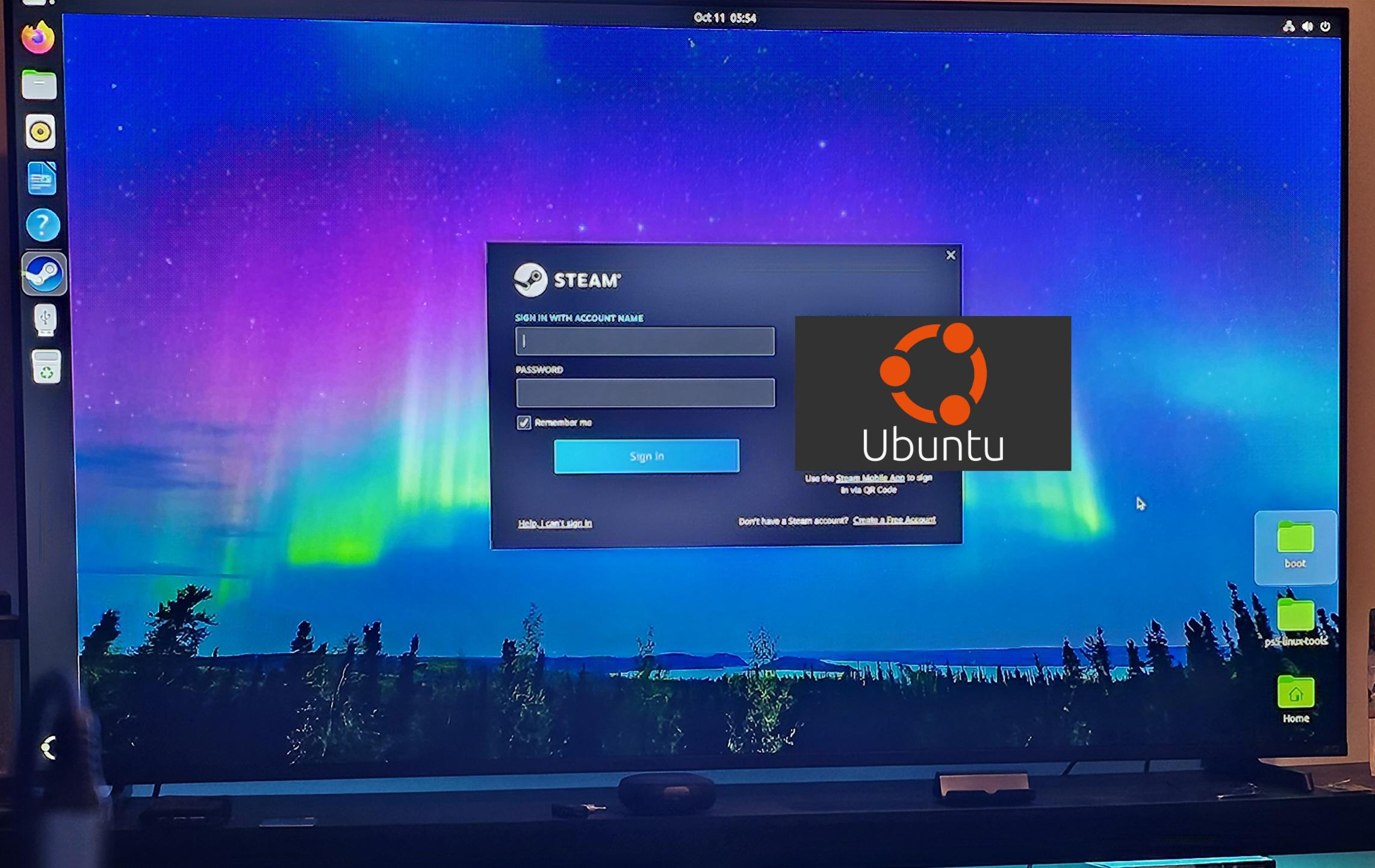
Now that I got Linux installed on my PS5, are there any 3D software I can install for my Odyssey 3D Monitor?

Post image
5 Upvotes

r/linux_gaming • • 16m ago

tech support wanted Apps using more RAM than they`r using

Thumbnail
gallery
• Upvotes

Summary of all launched processes RAM usage is less than 4gb while i got 20 gb of ram used, including swap. what the hell is that? That can`t be normal.

Cachyos. I was playing zomboid on online server. Its not one time thing, its just how it works when i launch zomboid which uses ram very much.


r/linux_gaming • • 27m ago

tech support wanted Cannot get GTA IV to run with mods

• Upvotes

Hello everyone. It is not my first time modding a game, at least it wouldn't be on Windows and it worked great on Windows 11, the game even started up, but I can't get it to run on Linux Mint with mods.

I have installed following mods:

- Tace.lite

- FusionFix (that comes with Tace.lite)

- the Radio mod that you need for Tace.lite

- Liberty Legacy Trainer

I already added all the .dll files in the pfx for 12210 (which is GTA IV), I tried running the command ( WINEDLLOVERRIDES="dinput8" %command% ) on Steam in properties and I am using the version of Proton GE 11.7.

Keep in mind: The game worked great with only Liberty Legacy Trainer, the radio mod that you need for Tace.lite and FusionFix. I installed FusionFix before I installed Tace.lite.

My problem is that the game starts up and I can choose which game I want to play (GTA IV or GTA EFLC) and then I click on a game, for example GTA IV, the game goes to the loading screen and the furthest I have come until now is it wanting to start a new game and showing that in the bottom right corner, but not loading it, instead it crashed.

On Windows I was able to install the GTA IV mods without a single problem and they started the game and I was able to play it.

I really hope somebody can help me with the problem of it not starting, because I can't seem to find it out myself and I would really like to play the game again.


r/linux_gaming • • 28m ago

Witchfire VKD3D/DXVK

Thumbnail
gallery
• Upvotes

Howdy

Does anyone plays Witchfire here on the new kernels ?

Under VKD3D VRAM fills slow/releases on loading but on a second run/map it never drops back it just fills and fills until it bugs out fully and GPU usage will be constant 99% FPS 1...and nothing helps at all beside if i am lucky only to pause it for 10min then drops back down to 5G VRAM but this is a small chance.

Will attach some images as well it does not matter much but its there just to say DXVK performs smoother but less performance overall compared to VKD3D but this is just to show what happens under that specific run nothing more.

Now tested DXVK on it and VRAM is always filled at max almost never drops either not even on loading but performances suffer a bit compared to VKD3D but never causes an issue at all and the game will remain playable on long runs without hitching much or even dropping in to 1FPS areas.

Compared to the old kernel 6.19 RAM usage was higher with some extra swap usage while VRAM also was the same pretty much but the outcome was smoother overall.

Under VKD3D Kernel 7+ unsure which or when this started as prior to Aug last i did play had no such issue beside the usual unoptimized game as it is by it self is known to be not optimized at all much.

And logs show this now days that i found funny while under the LTS kernel does not.
Tested GE 10-34/26 since that was the last and tested stable for me working good with some issues on top but still instead of blaming the 11.7 which has more issues now days.
But this is not the case they both behave the same under Kernel 7+.
Its Cachy Kernel by the way both.

Was thinking to report it on VKD3D but when tested the LTS kernel did not trigger the issue...
And so i did say its GE Proton broke something again as usual...but neither that was (Beside the Dishonored bug keyboard not working under 11.x) sure this i ruled out that is neither one to blame but the Kernel rather something changed how it handles VRAM usage or overall Memory usage.

The only way is kinda chat here and get some ideas maybe you all have something to share to.

Oct 12 15:45:18 Anarchy-x8664 kernel: amdgpu 0000:28:00.0: 000000006fb89119 pin failed

Oct 12 15:45:18 Anarchy-x8664 kernel: [drm:amdgpu_dm_plane_helper_prepare_fb [amdgpu]] *ERROR* Failed to pin framebuffer with error -12

Oct 12 15:45:18 Anarchy-x8664 kernel: amdgpu 0000:28:00.0: 00000000f7feb49e pin failed

Oct 12 15:45:18 Anarchy-x8664 kernel: [drm:amdgpu_dm_plane_helper_prepare_fb [amdgpu]] *ERROR* Failed to pin framebuffer with error -12

Oct 12 15:45:20 Anarchy-x8664 kernel: amdgpu 0000:28:00.0: 000000006fb89119 pin failed

Oct 12 15:45:20 Anarchy-x8664 kernel: [drm:amdgpu_dm_plane_helper_prepare_fb [amdgpu]] *ERROR* Failed to pin framebuffer with error -12


r/linux_gaming • • 43m ago

Fireteam Battle Royale on Linux! (Call of Duty: Black Ops Cold War)

Thumbnail
youtu.be
• Upvotes

Very mediocre gameplay skills, but just wanted to showcase this game mode running on Linux for those looking to scratch the Warzone itch o:
(Tested using the RX 9060XT 16GB + Ryzen 7 5700X3D using Proton-Wineland)


r/linux_gaming • • 9h ago

tech support wanted Gnome and KDE gaming differences

5 Upvotes

I’ve heard KDE is more suited for gaming.
I’m going to install Debian (yes, I think for my RX7600 and R5 5600x it’s good enough) to play games like Cyberpunk and Wreckfest and SpongeBob game and do some work in Libre and browsing.

Which DE you recommend? I also heard VRR is experimental on Gnome (or just in Debian’s version of it) and there’s always comments to get KDE for anything gaming related.
I kinda see it as a laptop DE. I love icons. I can have desktop icons with Gnome but then what’s the difference in the end of the day?


r/linux_gaming • • 7h ago

Xalia RAM leak?

Thumbnail
gallery
3 Upvotes

I’m not sure if this is a bug, but since the latest Proton update, Xalia has been consuming a considerable amount of RAM, whereas it previously used virtually none. I’ve also noticed that Steam itself is using significantly more memory than before.

Since I rarely use Xalia, I’ve been launching games with PROTON_USE_XALIA=0 to disable it, but having to do this for every game is quite annoying.

Overwatch used to use around 14GB of RAM with only Steam open, but now it’s above 17GB.


r/linux_gaming • • 1h ago

tech support wanted galactic racer crashing constantly.

• Upvotes

so i bought galactic racer the other day through steam and ive been trying to play it again today and now it wont stop crashing. i can load it up and after not even 5 minutes it crashes! i have no idea what could be causing this as it worked fine yesterday (bar a one off crash, worded fine after)

ubuntu distro if that matters? sry im still learning Linux in general.


r/linux_gaming • • 11h ago

I'm building a native Linux port of Fate/stay night [Realta Nua] (Spoiler free)

6 Upvotes

https://www.youtube.com/watch?v=N-JWrHld9vU

I have some older hardware that is too old for Vulkan or the newer OpenGL versions that Wine/Proton need, so I started making the game run natively on Linux instead. It runs on krkrsdl2, an open-source Kirikiri engine, plus a compatibility layer I wrote to replace the game's Windows plugin DLLs (audio decoders, file access, menus, translation support and so on). The clip shows 2 minutes of gameplay of me quickly skipping through some early events.

Status: it works on my main laptop which is what I recorded the clip on. I haven't tested it on older hardware like my thinkpad X201 yet, that's the goal. Some of the visual effects (haze, sparks and a few others) are not implemented and are skipped and some non essential menus don't work, but the game is playable within what i tested

A few notes:

- Unofficial and not affiliated with TYPE-MOON.

- It's a personal project and won't be released unless there's enough demand. Only then will I look into the legality of releasing it.

- It needs your own legitimate copy of the game.

- AI was used in the development (creating requirements from decompiled pseudo c)

I'd like to know if there's any interest in this getting a potential release.


r/linux_gaming • • 1h ago

graphics/kernel/drivers Diagonal Screen tearing on Minecraft Java 26.1+

• Upvotes

Since version 26.1, I have been experiencing diagonal screen tearing.

GPU: NVIDIA RTX 5060 Laptop GPU
Monitor: ASUS VG32AQA1A (165 Hz, S/N: TCLMQS061672)


r/linux_gaming • • 1h ago

tech support wanted Issues with LSFGVK involving severe slowdown and ghosting

• Upvotes

Hey everyone! I’m currently on Windows, so I can’t demonstrate this directly, but I’m planning to switch back to CachyOS soon and wanted to figure out what’s causing this:

Whenever I use LSFG-VK, some games suffer from extreme slowdown feeling like they're running in slow motion. Others, like the last of us part 2, don't slow down but have intense ghosting instead, looking as if frame generation were set to 20x rather than 2x. To make matters worse, frame gen doesn't even feel active, offering zero added smoothness.

I usually launch LSFG-VK via Goverlay and use an in-game overlay to monitor FPS. How can I fix this? Could it be related to Goverlay?

My specs:

R7 5700X, 16GB and a RX9060XT


r/linux_gaming • • 3h ago

hardware Steam Frame - some early thoughts

Thumbnail
gamingonlinux.com
1 Upvotes

r/linux_gaming • • 3h ago

Looking for Help - Games launched in Lutris scaling issue

1 Upvotes

Hi,

I installed Lutris on Ubuntu 26.04 to play Anno 1800 and Diablo 3, using Ubisoft Connect and Battle.net.

I am using a LenovoT14s connected to a docking station with a 2560x1080 monitor as primary display.

The scale in the Ubuntu display options for all monitors is set to 100%

DPI scaling in Lutris for Uconnect is set to 96 DPI - (automatically after install). When i launch Ubisoft Connect, it is very tiny - scaling is obviously wrong. Same with Battle.net

When i set the scaling DPI for Ubisoft Connect to 192 manually in the runner options, the size and scaling seems to be correct. BUT when i try to launch ANNO 1800 from Uconnect, it refuses to run correctly. When launching the game, the game window jumps between montitors for a few seconds and then it settles on the primary display, but with a very very blurry picture not readable at all. Sometimes it does not even lauch and crashes during startup.

But after hours of troubleshooting, i found a weird workaround - by accident. When i hot plug the USB-C from the docking station after system boot, Uconnect scales correctly with a 96 DPI setting. (with the manually set 192 it is way to big now - but had the correct size before the hot plug) And also ANNO 1800 launches and plays just fine. Battle.net behaves exactly the same.

What i need to do now is, after a system reboot, i need to disconnect and connect the docking station, and then all scaling and games work just fine. ANNO 1800 only works when the Ubisoft Connect interface has the correct size with a 96 DPI setting, any different combination causes issues.

Does anyone have an idea what the hot plug triggers and what i need to do to make it work without disconnecting and connecting the dock after every restart?

Thanks

Peter


r/linux_gaming • • 3h ago

wine/proton Horizon Forbidden West Suddenly Doesn't Launch

0 Upvotes

I've been playing Horizon: Forbidden West through Steam on CachyOS without any issues for a couple of weeks now. It's been perfectly smooth.

Tonight I get home from work and go to play some HFW and the button briefly turns blue, flashes something briefly and then turns back to green and says Play.

Now, I've already solved this problem. I had to install the latest GE-Proton, 11-9. I was previously using 11-6. I've been running updates every night before I start playing, and I did the same tonight. When that didn't work I fired up ProtonUp-qt and installed GE-Proton 11-9, restarted Steam, adjusted compatibility accordingly and it worked. Other than running OS updates and whatever updates Steam runs itself, nothing had changed.

My question is, why did I suddenly have to switch Proton versions when the version I had been using worked perfectly fine for almost a month? This kind of thing is what will turn the mainstream gamer off of Linux. I'm tech savvy enough to have figured it out and I'm sure most people here are as well, but it's still very inconvenient and will turn people off.


r/linux_gaming • • 13h ago

Classic Mu-Online for linux

7 Upvotes

Hey everyone!

Running server on linux vps

I've been working on an open-source project to preserve and modernize MU Online 0.97k, a classic MMORPG from the early 2000s.

The project started with a native Linux server implementation and eventually expanded into reconstructing the original Windows game client from decompiled code.

I recently released version 0.97.20 of both projects, completing Phase 2 of the modernization roadmap.

What's working so far?

Server (Linux):

  • Native Linux implementation, no Wine required.
  • Docker support for AMD64 and ARM64.
  • MySQL integration and Pterodactyl support.
  • Custom items, monsters, effects and pets.
  • Server-driven data synchronization with the client.
  • Open-source code and prebuilt server packages.

Client (currently Windows):

  • Reconstructed C++ source code from the original 0.97k client.
  • Removed the dependency on the old injected Main.dll by integrating its functionality directly into the source.
  • Modularized several legacy systems.
  • CMake build support.
  • Various rendering, UI, gameplay and compatibility fixes.

Phase 3: Bringing the client to Linux

This is what I'm starting to work on now.

The server already runs natively on Linux, but the client does not run natively on Linux yet.

My next goal is to make the reconstructed client portable, with native Windows and Linux builds from a shared codebase.

Some of the challenges ahead include:

  • Replacing Windows-specific APIs and dependencies.
  • Decoupling the rendering and window management systems.
  • Modernizing the legacy graphics pipeline.
  • Making the build system cross-platform.
  • Preserving the original game's appearance and behavior while improving compatibility with modern systems.

I'm also interested in exploring more modern rendering options in the future, but the immediate priority is getting a functional native Linux client.

Why am I doing this?

Partly for nostalgia, partly for the technical challenge, and partly because I believe old games deserve to remain accessible and understandable.

It's also been a great opportunity to learn more about reverse engineering, legacy C++, networking, and cross-platform development.

The project is still a work in progress, and I'm not claiming the client is Linux-ready yet.

GitHub repositories

Client source:
https://github.com/EmanuelCatania/Mu-97k-Client-Source

Native Linux server:
https://github.com/EmanuelCatania/Mu-Linux-0.97k

Latest release: 0.97.20

Both repositories are publicly available.

I'd love to hear from other Linux developers who have worked on porting old Windows games or modernizing legacy rendering engines.

Any feedback, technical suggestions, or contributions are welcome!

Doc: https://mu-linux.com/es/


r/linux_gaming • • 20h ago

tool/utility MAKO Frame Gen 4.5 released with initial moves to make Lossless Scaling optional

Thumbnail
github.com
24 Upvotes

Gonna just copy the full changelog for the version here since it seems to add quite a lot. The biggest change by far is that MAKO seems to be making plans to not require Loseless Scaling anymore for certain things

  • Experimental HDR: HDR10/PQ and linear scRGB now work with Scaling, Frame Generation and Shaders through Gamescope, on external HDR displays. HDR Quality offers Quality, Balanced and Performance (default), trading precision and motion detail for speed while preserving output resolution.
  • Window-mode stability: Scaling, Frame Generation and HDR share swapchain retirement and resize recovery. Returning from native display resolution retains a proven output size, and HDR Quality updates the internal HDR resize live with Scaling off.
  • AC and battery settings: Enable separate Handheld and Docked settings for each profile, then edit either set or Base settings. The matching Renderer follows battery or AC power automatically while playing, even with the panel closed. Switching sets preserves shared shader edits and keeps native settings separate; normal restart requirements still apply.
  • Match Display Refresh Rate: Let Adaptive follow Gamescope's current refresh rate instead of a fixed target. Your manual target is kept as the fallback; turn matching off to edit it. Live Status shows the effective target. The option can differ between AC and battery settings.
  • Custom shaders: Add compatible ReShade .fx files, then select and order them alongside bundled effects. Selection, ordering and deletion apply live while Shaders is active; Refresh reloads edited files and dependencies. Failed edits keep the previous chain running. The picker has more reliable paging, scrolling and controller focus. Flatpak games need access to the original files and dependencies.
  • Lossless Scaling is optional: MAKO Scaler and Shaders work through the installed Renderer without it. All profile controls remain editable; only Frame Generation and LS1 require Lossless Scaling.
  • Clearer FP16 controls: Allow FP16 applies to LSFG and MAKO Scaler across profiles and presets; LS1 always stays FP32, and shader effects keep their own precision behavior. Model warnings explain unavailable native FP16. Restart the game after changing precision.
  • Native Steam Remote Play: Stream on the receiving native x86_64 Linux Steam client using your selected profile and optional AC/battery settings. Create a named copy during a stream; normal live/restart rules apply. Qt and Decky share client restoration and current shader selections. Requires system Python 3.11 or newer; standalone Steam Link, Flatpak Steam and browser streaming are unsupported. Stream quality and latency still need qualification.
  • Disable Steam Overlay (Restart): New per-profile Performance control, enabled by default. May reduce stutter; disables Steam's in-game overlay and FPS counter and may affect Steam Input. Gaming Mode menus and performance overlay remain available.
  • Better profile capture: Launcher and helper processes cannot stand in for the game or select another game's profile through old aliases. Ubisoft Connect, CD Projekt RED, Rockstar helpers and EA app windows remain excluded while their games stay eligible.
  • Non-Steam menu handling: Steam and Quick Access menus pause generated frames on supported non-Steam launches, including Heroic/UMU shortcuts. Works across Fixed and Adaptive modes, with or without Scaling.
  • Flatpak support: Flatpak Setup now includes Freedesktop 26.08 extensions alongside 23.08–25.08. Automatic host discovery applies VRR On/Off requests to the game's verified Gamescope session during Frame Generation. Requires a VRR-capable display; Follow Steam and manual Steam changes retain their existing priority.
  • Adaptive stability: Steam menu returns preserve multiplier retry cooldowns. Failed Smooth Cadence reductions keep their retry delay across stalls and menu returns. Higher-multiplier pacing is rechecked against its real-frame cost. Brief native-only recovery samples restore the automatic base cap and generated workload before checking recovery.
  • Frame pacing and recovery: The matching Renderer improves capped Fractional spacing, completion pacing and recovery from retired Gamescope scaling swapchains, while keeping native fallback responsive. Scaling and HDR preserve games’ presentation-wait support while adapting output timing to compositor feedback.
  • Shader overhead: The bundled vkBasalt reduces per-frame CPU work and preserves ReShade effect settings. Effect GPU cost still increases with the Frame Generation multiplier.
  • Clearer guides and reports: Setup, configuration, Remote Play, Flatpak and troubleshooting guides are shorter. Diagnostic instructions now request 5,000 lines; reports retain startup, state and process/GPU health context.

r/linux_gaming • • 3h ago

tech support wanted First time pc builder here, any tips or suggestions for me?

Thumbnail
1 Upvotes

r/linux_gaming • • 4h ago

tech support wanted i've been trying to install genshin on anime launcher and it doesnt launch. same case for twintail launcher. i'm using GE proton 11.24

Post image
0 Upvotes