r/linux_gaming • • 21h ago

tool/utility MAKO Frame Gen 4.5 released with initial moves to make Lossless Scaling optional

Thumbnail
github.com
23 Upvotes

Gonna just copy the full changelog for the version here since it seems to add quite a lot. The biggest change by far is that MAKO seems to be making plans to not require Loseless Scaling anymore for certain things

  • Experimental HDR: HDR10/PQ and linear scRGB now work with Scaling, Frame Generation and Shaders through Gamescope, on external HDR displays. HDR Quality offers Quality, Balanced and Performance (default), trading precision and motion detail for speed while preserving output resolution.
  • Window-mode stability: Scaling, Frame Generation and HDR share swapchain retirement and resize recovery. Returning from native display resolution retains a proven output size, and HDR Quality updates the internal HDR resize live with Scaling off.
  • AC and battery settings: Enable separate Handheld and Docked settings for each profile, then edit either set or Base settings. The matching Renderer follows battery or AC power automatically while playing, even with the panel closed. Switching sets preserves shared shader edits and keeps native settings separate; normal restart requirements still apply.
  • Match Display Refresh Rate: Let Adaptive follow Gamescope's current refresh rate instead of a fixed target. Your manual target is kept as the fallback; turn matching off to edit it. Live Status shows the effective target. The option can differ between AC and battery settings.
  • Custom shaders: Add compatible ReShade .fx files, then select and order them alongside bundled effects. Selection, ordering and deletion apply live while Shaders is active; Refresh reloads edited files and dependencies. Failed edits keep the previous chain running. The picker has more reliable paging, scrolling and controller focus. Flatpak games need access to the original files and dependencies.
  • Lossless Scaling is optional: MAKO Scaler and Shaders work through the installed Renderer without it. All profile controls remain editable; only Frame Generation and LS1 require Lossless Scaling.
  • Clearer FP16 controls: Allow FP16 applies to LSFG and MAKO Scaler across profiles and presets; LS1 always stays FP32, and shader effects keep their own precision behavior. Model warnings explain unavailable native FP16. Restart the game after changing precision.
  • Native Steam Remote Play: Stream on the receiving native x86_64 Linux Steam client using your selected profile and optional AC/battery settings. Create a named copy during a stream; normal live/restart rules apply. Qt and Decky share client restoration and current shader selections. Requires system Python 3.11 or newer; standalone Steam Link, Flatpak Steam and browser streaming are unsupported. Stream quality and latency still need qualification.
  • Disable Steam Overlay (Restart): New per-profile Performance control, enabled by default. May reduce stutter; disables Steam's in-game overlay and FPS counter and may affect Steam Input. Gaming Mode menus and performance overlay remain available.
  • Better profile capture: Launcher and helper processes cannot stand in for the game or select another game's profile through old aliases. Ubisoft Connect, CD Projekt RED, Rockstar helpers and EA app windows remain excluded while their games stay eligible.
  • Non-Steam menu handling: Steam and Quick Access menus pause generated frames on supported non-Steam launches, including Heroic/UMU shortcuts. Works across Fixed and Adaptive modes, with or without Scaling.
  • Flatpak support: Flatpak Setup now includes Freedesktop 26.08 extensions alongside 23.08–25.08. Automatic host discovery applies VRR On/Off requests to the game's verified Gamescope session during Frame Generation. Requires a VRR-capable display; Follow Steam and manual Steam changes retain their existing priority.
  • Adaptive stability: Steam menu returns preserve multiplier retry cooldowns. Failed Smooth Cadence reductions keep their retry delay across stalls and menu returns. Higher-multiplier pacing is rechecked against its real-frame cost. Brief native-only recovery samples restore the automatic base cap and generated workload before checking recovery.
  • Frame pacing and recovery: The matching Renderer improves capped Fractional spacing, completion pacing and recovery from retired Gamescope scaling swapchains, while keeping native fallback responsive. Scaling and HDR preserve games’ presentation-wait support while adapting output timing to compositor feedback.
  • Shader overhead: The bundled vkBasalt reduces per-frame CPU work and preserves ReShade effect settings. Effect GPU cost still increases with the Frame Generation multiplier.
  • Clearer guides and reports: Setup, configuration, Remote Play, Flatpak and troubleshooting guides are shorter. Diagnostic instructions now request 5,000 lines; reports retain startup, state and process/GPU health context.

r/linux_gaming • • 22h ago

GOG which one is better for gog, lutris or heroic?

1 Upvotes

I am planing to buy cyberpunk ultimate ed. on gog, but I have no experience with gog on linux, which one is good for gog?


r/linux_gaming • • 16h ago

Steam and shaders

0 Upvotes

How to stop Steam from downloading shader caches everytime I launch Steam?

Thanks :)


r/linux_gaming • • 12h ago

I'm building a native Linux port of Fate/stay night [Realta Nua] (Spoiler free)

5 Upvotes

https://www.youtube.com/watch?v=N-JWrHld9vU

I have some older hardware that is too old for Vulkan or the newer OpenGL versions that Wine/Proton need, so I started making the game run natively on Linux instead. It runs on krkrsdl2, an open-source Kirikiri engine, plus a compatibility layer I wrote to replace the game's Windows plugin DLLs (audio decoders, file access, menus, translation support and so on). The clip shows 2 minutes of gameplay of me quickly skipping through some early events.

Status: it works on my main laptop which is what I recorded the clip on. I haven't tested it on older hardware like my thinkpad X201 yet, that's the goal. Some of the visual effects (haze, sparks and a few others) are not implemented and are skipped and some non essential menus don't work, but the game is playable within what i tested

A few notes:

- Unofficial and not affiliated with TYPE-MOON.

- It's a personal project and won't be released unless there's enough demand. Only then will I look into the legality of releasing it.

- It needs your own legitimate copy of the game.

- AI was used in the development (creating requirements from decompiled pseudo c)

I'd like to know if there's any interest in this getting a potential release.


r/linux_gaming • • 23h ago

guide Have found what to do if native Linux games lost keyboard.

Thumbnail
0 Upvotes

r/linux_gaming • • 3h ago

hardware Steam Frame - some early thoughts

Thumbnail
gamingonlinux.com
0 Upvotes

r/linux_gaming • • 14h ago

Like writing guides in here, but people keep thinking im AI, What can I do?

22 Upvotes

Hi, so long story short I write my guides with a lot of space formatting with things like emojis, ---- and points because I'm dyslexic and it makes them a lot easier to read.

Here's a few of my most recent Linux guides and a few others have been called AI, there has to be something I can do besides making my work worse to read.

Klay as a Retro Front-End
https://www.reddit.com/r/linux_gaming/comments/1x47y43/klay_how_to_use_it_as_a_emulator_frontend/

Cartridges as a Retro Front-End
https://www.reddit.com/r/linux_gaming/comments/1uhp6ld/cartridges_how_to_use_it_as_a_emulator_frontend/

Top 10 Apps for Chrome OS Flex
https://www.reddit.com/r/ChromeOSFlex/comments/1wuay5g/top_essential_offline_apps_for_chrome_os_flex/

Retroarch Cores VS Shaders
https://www.reddit.com/r/RetroArch/comments/1uii13v/retroarch_psa_when_to_use_core_options_vs_shaders/

MSX Beginners Guide
https://www.reddit.com/r/MSX/comments/1n2qnd0/msx_an_indepth_beginners_guide/


r/linux_gaming • • 16h ago

tech support wanted Steam Big Picture REALLY laggy

Enable HLS to view with audio, or disable this notification

1 Upvotes

it happens only when i start ANY game, already tryied diffetent protons, like GE, wineland, experimental, even proton-cahyos (im in zorinOS, idk, maybe some magic happens)

can someone help me?


r/linux_gaming • • 9h ago

emulation Title: Best Linux gaming launcher to turn my PC into a console?

5 Upvotes

I use Linux on my work PC and want to turn it into a console-like gaming setup when I get home, without changing my OS.

I'm looking for a launcher that can combine retro emulators (GBA, Wii, etc.) and Windows .exe games through Wine/Proton in one controller-friendly interface.

I've looked at Lutris, Heroic, ES-DE, and Pegasus. What would you recommend, and what setup do you use?


r/linux_gaming • • 39m ago

Deadlock freezes the whole graphical session on Fedora (RTX 4050 Laptop, NVIDIA 615.71.09), forced to log out and back in

• Upvotes

Deadlock freezes mid-match, usually during heavy fights with lots of effects. The game and the screen lock up and the only fix is to log out and log back in. After logging back in, the laptop fans spin up loudly.
System:
Fedora 44, tried both niri (Wayland) and GNOME (Wayland), same result in both
NVIDIA GeForce RTX 4050 Laptop GPU, 6 GB VRAM, 16 GB RAM
Proprietary driver 615.71.09 (nvidia-smi and vulkaninfo work fine, the GPU is detected as discrete)
Steam + Proton, tried both default Proton and latest GE-Proton


r/linux_gaming • • 3h ago

Looking for Help - Games launched in Lutris scaling issue

0 Upvotes

Hi,

I installed Lutris on Ubuntu 26.04 to play Anno 1800 and Diablo 3, using Ubisoft Connect and Battle.net.

I am using a LenovoT14s connected to a docking station with a 2560x1080 monitor as primary display.

The scale in the Ubuntu display options for all monitors is set to 100%

DPI scaling in Lutris for Uconnect is set to 96 DPI - (automatically after install). When i launch Ubisoft Connect, it is very tiny - scaling is obviously wrong. Same with Battle.net

When i set the scaling DPI for Ubisoft Connect to 192 manually in the runner options, the size and scaling seems to be correct. BUT when i try to launch ANNO 1800 from Uconnect, it refuses to run correctly. When launching the game, the game window jumps between montitors for a few seconds and then it settles on the primary display, but with a very very blurry picture not readable at all. Sometimes it does not even lauch and crashes during startup.

But after hours of troubleshooting, i found a weird workaround - by accident. When i hot plug the USB-C from the docking station after system boot, Uconnect scales correctly with a 96 DPI setting. (with the manually set 192 it is way to big now - but had the correct size before the hot plug) And also ANNO 1800 launches and plays just fine. Battle.net behaves exactly the same.

What i need to do now is, after a system reboot, i need to disconnect and connect the docking station, and then all scaling and games work just fine. ANNO 1800 only works when the Ubisoft Connect interface has the correct size with a 96 DPI setting, any different combination causes issues.

Does anyone have an idea what the hot plug triggers and what i need to do to make it work without disconnecting and connecting the dock after every restart?

Thanks

Peter


r/linux_gaming • • 11h ago

tech support wanted Need Help with running Max Payne 3 (Mint 22.3)

0 Upvotes

As the title says, I'm having trouble running Max Payne 3 on steam.

I've tried a few fixes that haven't worked for me, tried downloading the rockstar launcher through wine but I cannot launch the game from there since I bought it on steam.

If I try to right click and run the 'PlayMaxPayne3.exe' file it just leads to an error screen that says "Please make sure the steam client is running"

Also tried another workaround that involved putting the steamid for the game into the files. That also did not work

Tried Proton Experimental, Hotfix, 11, and proton-GE

Any help would be great! Thanks

using:

Mint 22.3

Kernel version is 7.0.0

RTX 4070


r/linux_gaming • • 9h ago

tool/utility Hi I created a launcher for OSRS & RS3

0 Upvotes

Hello. I created a launcher for Runescape that is native to Linux and has support for OSRS Native, Runelite and Runescape 3. OSRS Native is run through wine, the other two have native clients. The launcher handles updates and Jagex sign in as well as downloads the clients within the launcher.

If you are interested, have some Cabbage: https://github.com/birdturtle/Cabbage


r/linux_gaming • • 11h ago

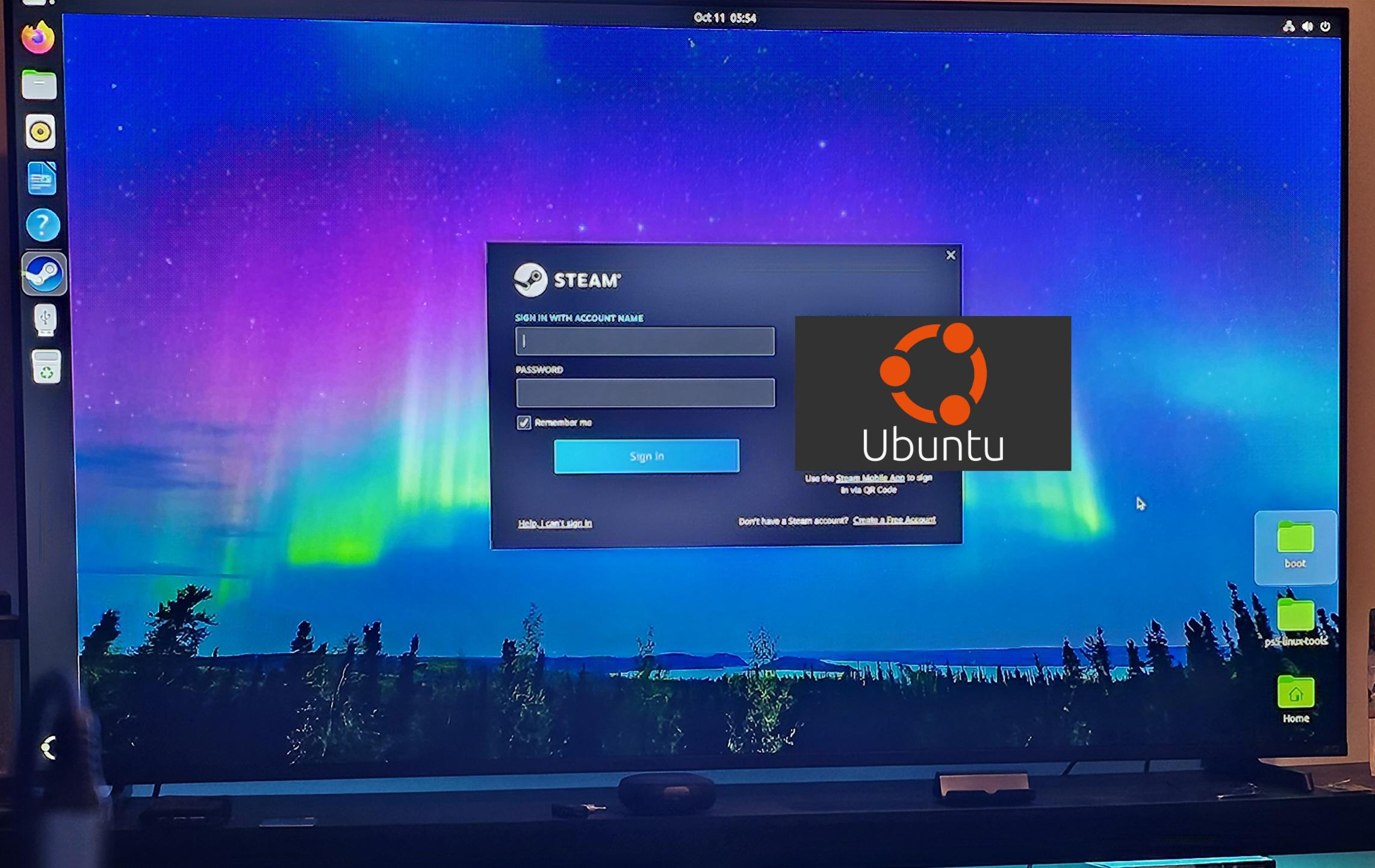
Cyberpunk 2077 Issues on Ubuntu

Thumbnail
0 Upvotes

r/linux_gaming • • 4h ago

tech support wanted i've been trying to install genshin on anime launcher and it doesnt launch. same case for twintail launcher. i'm using GE proton 11.24

Post image
0 Upvotes

r/linux_gaming • • 8h ago

Now that I got Linux installed on my PS5, are there any 3D software I can install for my Odyssey 3D Monitor?

Post image
6 Upvotes

r/linux_gaming • • 18h ago

tech support wanted I have an Intel 15,1 macbook pro I wish to install linux on

0 Upvotes

I tried Ubuntu but faced multiple issues with my preferred suite of games(as below)

Satisfactory
Celeste
Minecraft(Java, typically with mods like Create)
Forza Horizon 4
Destiny
Operation Harsh Doorstop
Trackmania
Coal LLC
Rocket League
Valorant(v rarely played)

Having tried Windows via Bootcamp, Ubuntu 24.04 LTS and Mint, I have not found a comfortable medium between it just working and it not needing a whole boatload of ram in the background.

I do use MacOS on the side but it’s the smaller of the two boot OSs as such.

I would love your input on which OS is reliable whilst not being ONLY gaming focused(looking at bazzite and steamOS) as I do tend to use it as a media centre and for a bit of work when I don’t have my work laptop on hand.

The specs of my specific machine:

i9 9980HK
32GB DDR4
500GB SSD
Radeon Pro 560X


r/linux_gaming • • 10h ago

tech support wanted Gnome and KDE gaming differences

4 Upvotes

I’ve heard KDE is more suited for gaming.
I’m going to install Debian (yes, I think for my RX7600 and R5 5600x it’s good enough) to play games like Cyberpunk and Wreckfest and SpongeBob game and do some work in Libre and browsing.

Which DE you recommend? I also heard VRR is experimental on Gnome (or just in Debian’s version of it) and there’s always comments to get KDE for anything gaming related.
I kinda see it as a laptop DE. I love icons. I can have desktop icons with Gnome but then what’s the difference in the end of the day?


r/linux_gaming • • 7h ago

Xalia RAM leak?

Thumbnail
gallery
2 Upvotes

I’m not sure if this is a bug, but since the latest Proton update, Xalia has been consuming a considerable amount of RAM, whereas it previously used virtually none. I’ve also noticed that Steam itself is using significantly more memory than before.

Since I rarely use Xalia, I’ve been launching games with PROTON_USE_XALIA=0 to disable it, but having to do this for every game is quite annoying.

Overwatch used to use around 14GB of RAM with only Steam open, but now it’s above 17GB.


r/linux_gaming • • 13h ago

Steam Deck OLED / Planet Zoo 2 Performance / SteamOS 3.9.2

Thumbnail
youtu.be
0 Upvotes

r/linux_gaming • • 4h ago

tech support wanted First time pc builder here, any tips or suggestions for me?

Thumbnail
1 Upvotes

r/linux_gaming • • 10h ago

tech support wanted Sunshine & Moonlight streaming: How to get 4:4:4 color on Intel Core Ultra?

1 Upvotes

I have a Thinkpad with Intel Core Ultra 258v, and in moonlight I have 4:4:4 color enabled, but when I connect from my mac I get a message saying "your pc doesn't support 4:4:4 encode", and core ultra integrated graphics should support it.


r/linux_gaming • • 10h ago

tech support wanted Minecraft Sodium / Iris Instant Crashing

0 Upvotes

Title. I've been trying to add sodium and iris for shaders but sodium tends to crash by itself and iris will not work without sodium. I'm on 1.21.4, so I'm trying to play the most recent release. I'm still very new to Linux and this is the first PC (which is a Thinkpad Laptop, AMD Ryzen Pro 7) of my own so I won't know everything. If there's anything else you need to know to help, lmk.


r/linux_gaming • • 8h ago

Eclipse & Occulation / Syzygy | Headless Automated Streaming for KDE

Thumbnail gallery
1 Upvotes

r/linux_gaming • • 10h ago

tech support wanted Can't update Arknights Endfield launcher incorrectly blocks due to Insufficient Disk Space

1 Upvotes

I can't update Arknights Endfield because the game launcher thinks I have 15.21 GB free. My actual free space is 1.1 TB. I'm guessing it has something to do with the virtual C drive in the proton prefix, but I'm not sure how I can fix it.