r/VFIO • u/glitchy-demonphage • 6h ago
MacPro6,1 GPU Pass thru (D500 GPUs) solved
2
Upvotes
r/VFIO • u/MacGyverNL • Mar 21 '21
TL;DR: Put some effort into your support requests. If you already feel like reading this post takes too much time, you probably shouldn't join our little VFIO cult because ho boy are you in for a ride.
A popular youtuber made a video showing everyone they can run Valorant in a VM and lots of people want to jump on the bandwagon without first carefully considering the pros and cons of VM gaming, and without wanting to read all the documentation out there on the Arch wiki and other written resources. You're one of those people. That's okay.
You go ahead and start setting up a VM, replicating the precise steps of some other youtuber and at some point hit an issue that you don't know how to resolve because you don't understand all the moving parts of this system. Even this is okay.
But then you come in here and you write a support request that contains as much information as the following sentence: "I don't understand any of this. Help." This is not okay. Online support communities burn out on this type of thing and we're not a large community. And the odds of anyone actually helping you when you do this are slim to none.
Bite the bullet and start reading. I'm sorry, but even though KVM/Qemu/Libvirt has come a long way since I started using it, it's still far from a turnkey solution that "just works" on everyone's systems. If it doesn't work, and you don't understand the system you're setting up, the odds of getting it to run are slim to none.
Youtube tutorial videos inevitably skip some steps because the person making the video hasn't hit a certain problem, has different hardware, whatever. Written resources are the thing you're going to need. This shouldn't be hard to accept; after all, you're asking for help on a text-based medium. If you cannot accept this, you probably should give up on running Windows with GPU passthrough in a VM.
Think a bit about the following question: If you're not already a bit familiar with how Linux works, do you feel like learning that and setting up a pretty complex VM system on top of it at the same time? This will take time and effort. If you've never actually used Linux before, start by running it in a VM on Windows, or dual-boot for a while, maybe a few months. Get acquainted with it, so that you understand at a basic level e.g. the permission system with different users, the audio system, etc.
You're going to need a basic understanding of this to troubleshoot. And most people won't have the patience to teach you while trying to help you get a VM up and running. Consider this a "You must be this tall to ride"-sign.
When asking for help, answer three questions in your post:
For the first, you can always start with a description of steps you took, from start to finish. Don't point us to a video and expect us to watch it; for one thing, that takes time, for another, we have no way of knowing whether you've actually followed all the steps the way we think you might have. Also provide the command line you're starting qemu with, your libvirt XML, etc. The config, basically.
For the second, don't say something "doesn't work". Describe where in the boot sequence of the VM things go awry. Libvirt and Qemu give exact errors; give us the errors, pasted verbatim. Get them from your system log, or from libvirt's error dialog, whatever. Be extensive in your description and don't expect us to fish for the information.
For the third, this may seem silly ("I expected a working VM!") but you should be a bit more detailed in this. Make clear what goal you have, what particular problem you're trying to address. To understand why, consider this problem description: "I put a banana in my car's exhaust, and now my car won't start." To anyone reading this the answer is obviously "Yeah duh, that's what happens when you put a banana in your exhaust." But why did they put a banana in their exhaust? What did they want to achieve? We can remove the banana from the exhaust but then they're no closer to the actual goal they had.
I'm saying to consider and accept that the technology you want to use isn't "mature for mainstream". You're consciously stepping out of the mainstream, and you'll simply need to put some effort in. The choice you're making commits you to spending time on getting your system to work, and learning how it works. If you can accept that, welcome! If not, however, you probably should stick to dual-booting.
r/VFIO • u/illidanoid • 1d ago
r/VFIO • u/__z3r0_0n3__ • 4d ago
Demos and docs: https://zerone-laboratories.github.io/zss
Source: https://github.com/z3r0n3br4instorm/ZrnSelectiveSuspend
Maybe this is stupid
I wanted to share a side project I've been working on to solve a personal annoyance with hybrid graphics. If you've ever dealt with a discrete GPU on a laptop, you know the pain of having to log out, kill your X session, or reboot just to fully power the card down for battery, or to pass it through to a QEMU/KVM virtual machine.
I built ZrnSelectiveSuspend (ZSS) to fix that. It's an alpha tool that takes a graphics card out of service on a live Linux desktop by moving running Vulkan and OpenGL programs to another GPU while they're still drawing, then gives everything back afterwards.
**What it does right now:**
* **Zero-watt power-off:** switches the dGPU completely off under a running X session (~0.4 s) and back on (~1 s). Programs move to the iGPU and back; vkcube never stops spinning. Can also follow the charger or an idle timer.
* **Live VFIO passthrough:** `zssctl lend` moves the host's programs off the card and hands it to vfio-pci; `zssctl reclaim` power-cycles it and gives it back to the host driver with the programs returned. No reboot, no log-out. Tested with a CachyOS guest in QEMU.
Honest caveat: the guest sees the card, but nouveau stops after reading the chip ID because the Mac Edition card has no video BIOS of its own. Passing a ROM file to QEMU is next.
* **Surviving a card that vanishes:** I wrote a kernel module (ZSS_Interceptor) that notices a card losing power within ~0.1 s. If the card was idle, the driver is frozen and resumed. If a program was rendering on it, the program gets rebuilt on the iGPU in ~3.5 s with nothing lost, and `zssctl on` brings the card back in 4 - 7 s by replugging it the way NVIDIA's driver handles an unplugged eGPU. Desktop stays up the whole time. Caveat: after that rescue, the card can't be powered off or lent again until you reboot.
**What moves:** Vulkan 1.1 programs, OpenGL 3.2 programs through Mesa's Zink, Chromium and Electron apps (VS Code, Teams), and Unity games. Proton/DXVK needs Vulkan 1.3, so not yet.
**How it works, briefly:** a user-space Vulkan driver shim (ZSS_AirLock) sits between programs and the real drivers, keeps enough state to rebuild them on another GPU, and emulates missing features so Zink runs even on NVIDIA 470. A daemon sequences moves, freezes, driver suspend and power cuts. The kernel module handles PCI state, power backends and loss detection. NVIDIA additionally needs a small DKMS patch so the driver can sleep under a running display server.
**The bigger picture:**
ZSS is focused on graphics cards right now, but the long-term goal is to safely disconnect, suspend and reconnect any PCI device on a live system without taking the kernel down with it. GPUs are just the hardest place to start.
I used Claude Code a lot to build this. I made the architectural calls; it did a big share of the implementation and helped me work through the nastier kernel module and driver interactions. It's been a massive learning accelerator.
**Status:** very much alpha. Proven on one machine: a 2012 MacBook Pro (MacBookPro9,1, GT 650M + HD 4000) on Arch, kernel 7.2, X11, NVIDIA 470.256.02. Power-off currently needs an Apple gmux; an ACPI backend for most hybrid laptops since ~2015 is written but has never been run. Wayland compositors are recognised but untested. The program-moving parts are vendor-neutral and should work with any Vulkan driver.
**How you can help:** there's a tester kit that changes nothing and installs nothing. It collects what your machine has, runs the moving tests in dry-run mode, and saves a report with personal details stripped:
curl -fsSLO https://github.com/z3r0n3br4instorm/ZrnSelectiveSuspend/releases/latest/download/zss-tester.run && sh zss-tester.run
I'd especially love reports from AMD/Intel dGPU laptops (to try the ACPI backend), architecture roasts, and feedback from VFIO folks.
Thanks for reading!
r/VFIO • u/Significant-Pack-317 • 5d ago
Would appreciate your help!
r/VFIO • u/steller_traveller_ • 7d ago
Hey everyone,
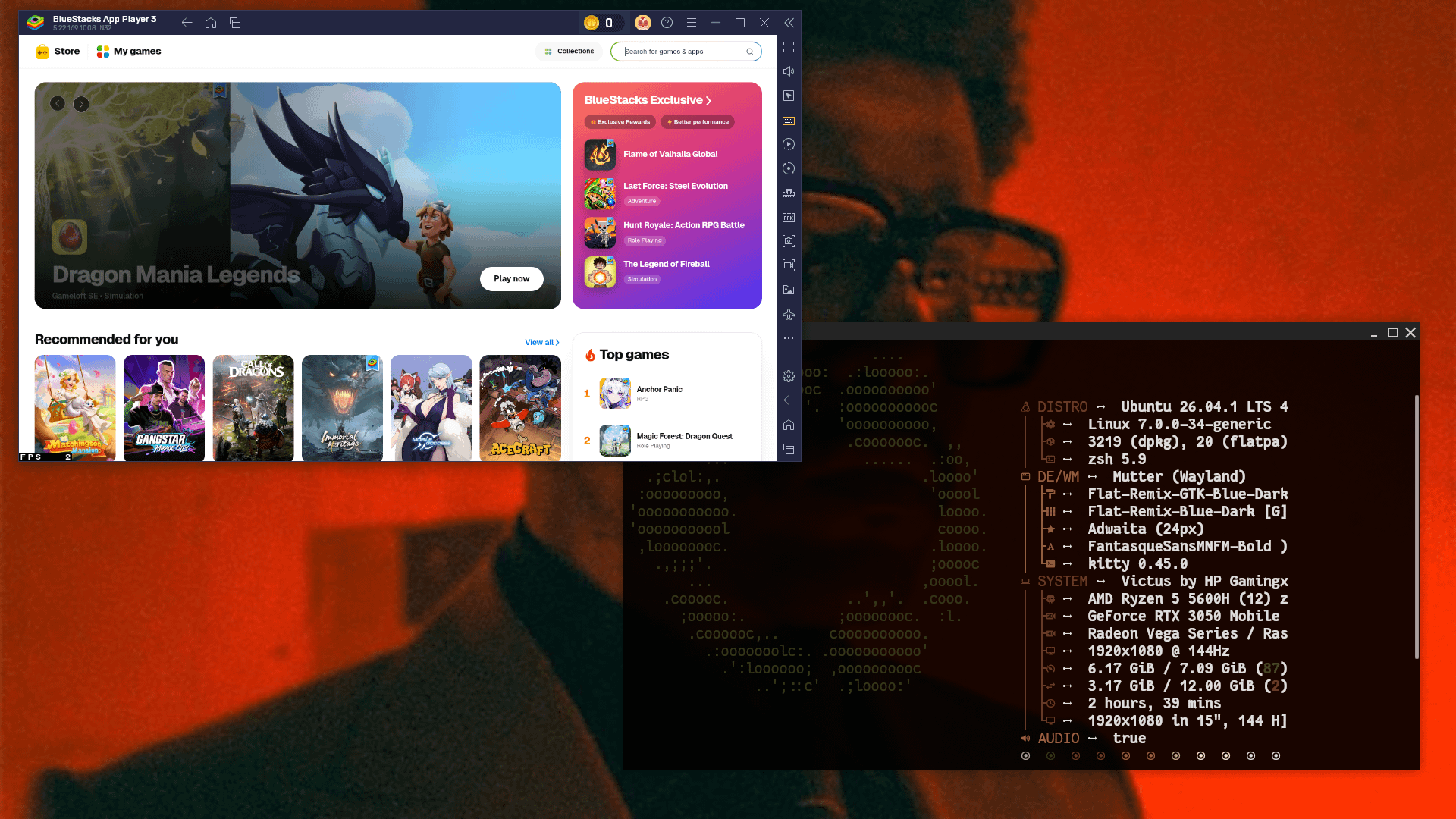
I was experimenting with AI coding agents and Linux for fun, and somehow ended up building a compatibility layer for running BlueStacks on Linux through Wine.
The basic idea is to provide the WHPX interface that BlueStacks expects and bridge it to Linux KVM.
BlueStacks → WHPX → Wine → WHPX/KVM bridge → /dev/kvm → KVM
I didn't really have a proper plan when I started. I was mostly experimenting, breaking things, reading errors, and fixing them until I eventually got it working.
I put the code on GitHub:
https://github.com/roninscript30/bluestacks-linux-kvm
It's still experimental, and I'm still learning a lot about KVM, Wine, and virtualization.
Sharing it here in case it's useful to anyone, or if anyone experienced with this area wants to take a look and give some feedback.
r/VFIO • u/Whizanth • 13d ago
I wrote a guide on my website on how to get dynamic unbinding to work correctly: * host can utilize both GPUs normally while the VM isn't running, both for CUDA/games and external monitors * when you decide to pass your NVIDIA GPU to the VM, there's no need to terminate your Plasma session * after passing back the GPU the host, you get back your monitors connected to the NVIDIA GPU * works with nvidia_drm.modeset=1 * no lag whatsoever when using the NVIDIA GPU on the host, the GPU can be passed through even when it's set as primary for KWin * you can pass the GPU back and forth between the VM and host as many times as you wish
Only caveats are: * you need one Intel or AMD and one NVIDIA GPU, two NVIDIA GPUs won't work * you can't use X11 apps while the VM is running, but Wayland apps do work
This setup has worked reliably for me for a few months now, so I thought I'd share it.
I've only tested it on a single machine, though, so let me know whether it works for you. If there are any issues that didn't show up on my system, I'll try to address them.
Here's the link: https://www.whizanth.com/blog/dynamic-unbinding/
r/VFIO • u/fullScheduale • 17d ago
I use openSUSE Tumbleweed, so my system is always fairly up to date and my RX 9070 XT reset bug disappeared a few weeks ago.
I can restart, power off and switch my guest OSes anytime, including both Windows and Linux. I also see the TianoCore logo on every POST screen.
I do not use any bind/unbind scripts on the host or any guest scripts. Libvirt handles the binding/unbinding automatically without any customization. There are no relevant errors or stack traces in journalctl, vfio-pci resets flawlessly and then amdgpu reloads on the host without any issues.
I also use default kernel and module settings (no vfio config either). The amdgpu module is loaded for the 9070 XT when I don't use GPU passthrough.
Resizable BAR is also fully enabled by default.
So no hacky workarounds, it is basically an out-of-the-box experience.
Asrock B850i - 4.43 BIOS with one related setting: Display Priority - Internal Graphics
9800X3D - the integrated GPU used as a primary display
Asus 9070 XT Prime OC (switched to the silent BIOS on the card)
An LG 4K display with 2 HDMI inputs and 1 DP input. It has 2 HDMI inputs, but only one of them can be active at the same time. This is somewhat important to check how your monitor behaves. If I connected the integrated GPU to one HDMI input and the dedicated card to the other HDMI and then switched inputs when starting the virtual machine, I wouldn't see the POST and boot screens, and the card wouldn't be initialized at guest start because it wouldn't detect a connected monitor (but you should have a screen after the guest OS is fully loaded). So I use one HDMI and one DP, they are active at the same time.
Linux kernel: 7.2.6
kernel-firmware-amdgpu: 20260829
QEMU: 11.1.1
libvirt: 12.7.0
Virtual Machine Manager: 5.1.0
lspci -nn | grep -i -E "vga|audio"

03:00.0 VGA compatible controller [0300]: Advanced Micro Devices, Inc. [AMD/ATI] Navi 48 [Radeon RX 9070/9070 XT/9070 GRE] [1002:7550] (rev c0)
03:00.1 Audio device [0403]: Advanced Micro Devices, Inc. [AMD/ATI] Navi 48 HDMI/DP Audio Controller [1002:ab40]
0f:00.0 VGA compatible controller [0300]: Advanced Micro Devices, Inc. [AMD/ATI] Granite Ridge [Radeon Graphics] [1002:13c0] (rev cb)
0f:00.1 Audio device [0403]: Advanced Micro Devices, Inc. [AMD/ATI] Radeon High Definition Audio Controller [1002:1640]
0f:00.6 Audio device [0403]: Advanced Micro Devices, Inc. [AMD] Ryzen HD Audio Controller [1022:15e3]
I use the integrated GPU (0f:00.0) for the primary display, restricting the desktop's access strictly to the iGPU while disabling the dedicated card. I think this is the most important thing. If you don't block the card from the desktop before starting the virtual machine, you will run into weird problems.
If you use X11, use the config below as a sample (even if you think you're using Wayland, your login manager might still use Xorg, for example SDDM):
/etc/X11/xorg.conf.d/10-only-igp.conf
Section "ServerLayout"
        Identifier              "Layout0"
        Screen                  "Screen0"
EndSection
Section "Device"
        Identifier              "AMD"
        Driver                  "modesetting"
        BusID                   "PCI:15:0:0"   # the bus number in decimal format
EndSection
Section "Monitor"
        Identifier              "Monitor0"
EndSection
Section "Screen"
        Identifier              "Screen0"
        Device                  "AMD"
        Monitor                 "Monitor0"
EndSection
Section "ServerFlags"
        Option                  "AutoAddGPU" "off"
EndSection
If you use Wayland and happen to use KDE (there is no global solution for all Wayland compositors), use the config below as a sample:
~/.config/plasma-workspace/env/env.sh
export KWIN_DRM_DEVICES='/dev/dri/by-path/pci-0000\:0f\:00.0-card' # option 1: symlink, but must be escaped
#export KWIN_DRM_DEVICES=/dev/dri/card2                            # option 2: direct path, device order might change
Linux:
no extra config needed
Windows:
To avoid graphical artifacts and a garbled screen, set:
<hyperv mode="custom">
   ...
   <vendor_id state="on" value="AuthenticAMD"/> #or GenuineIntel or whatever1234
</features>
and disable Device security / Core isolation / Memory integrity in the Windows security
To fix HDMI/DP audio crackling, install the latest AMD WHQL driver.
Let me know if anyone else has experienced this or if you need any more info.
Hello
I have a laptop with fedora 44 and kde plasma 6.7. I have an intel iGPU and an NVIDIA dedicated GPU.
I would like to setup my system so that my fedora host has access to both the iGPU and dGPU but when I start my win11 vm, I want the iGPU to stay with fedora and the dGPU to be passed through to the win11 vm.
My main problem is that kwin_wayland keeps using the dGPU (I think because it wants access to the hdmi port on the dGPU) even though I am trying to keep it from doing so. Because the dGPU is being used, I cannot activate the vfio driver and pass the device to the win11 vm.
Is there any guide or advice available to set this up?
Thanks in advance
r/VFIO • u/Mhas8383 • 27d ago
can anyone help me with dynamic gpu detaching and attaching to my win 11 vm in CachyOS, I only have one GTX 1660 SUPER GPU with intel 630 iGPU. I only need a couple of applications to work in VM with GPU, I mostly work with blender davinci in linux host machine. When I want to use VM I will use my iGPU on my host machine and won't use any D-GPU accelerated apps in linux host and When I turn VM off then D-GPU re-attaches to my linux host where I can further work.
r/VFIO • u/Mhas8383 • 27d ago
r/VFIO • u/GotThisss • 28d ago
Setup: EndeavourOS host running Hyprland, Ryzen 7 7800X3D, RX 9070 XT, monitor plugged into the motherboard so the iGPU drives the desktop by default
Goal: use the 9070 XT for gaming on Linux most of the time, but be able to spin up a Windows 11 VM (for Adobe apps mainly) that takes the dGPU when it's running, shown as a normal floating window via Looking Glass rather than switching monitor inputs. When the VM shuts down, I want the dGPU to go back to being usable on the host without a reboot. Also want a second person to be able to connect to the same VM over LAN via Moonlight/Sunshine, independent of the Looking Glass session.
Current state: VFIO passthrough to the Windows 11 VM works - both the VGA and audio functions bind to vfio-pci cleanly via a PCI hostdev in virt-manager (managed='yes'), BUT Windows doesn't even see the GPU. Another problem is that on VM shutdown libvirt tries to reset the device on release and fails:
Failed to reset PCI device 0000:03:00.0
Failed to reset PCI device 0000:03:00.1
which leaves the card stuck, and the host either hangs or I have to force a power cycle to get anything back.
I've never done this, and I am not a pro. I'll be happy happy to get any advice.
r/VFIO • u/Mr_Mauzie • 28d ago
☠️Hey everyone! I’m trying to set up a dual-box arrangement to play Sea of Thieves
with someone else in my house using 2 Virtual Machines (VMs),
but I only have a single RTX 3070 in my PC.
I have two main roadblocks: how Can I split/virtualize my single GPU across two VMs effectively for gaming?
How do I bypass the Easy Anti-Cheat (EAC) "VM Detected" error (specifically triggered by GPU)
What software or hypervisor setup would you recommend for this?
Or is there a completely better, budget-friendly alternative to running two instances of SoT on one PC?
Or can i do this in windows itself without running a VM? I tried running the game through steam and the xbox app at the same time but that gives me a error..
Appreciate any advice! 👇
r/VFIO • u/Worried_Ad_1816 • Sep 13 '26
I got AMD GPU-PV working in a normal Linux Hyper-V VM on my RX 9060 XT.
This isn't WSL — it's a regular Ubuntu 24.04 Generation 2 Hyper-V VM using dxgkrnl + the WSL D3D12 userspace + the matching AMD UMD from the Windows driver.
Repo:
https://github.com/Speedstu/mirage-gpupv
On my machine I get:
D3D12 (AMD Radeon RX 9060 XT) through MesaI wrapped the whole setup into a PowerShell script that handles the GPU-P configuration, finds the active AMD driver package, copies the required userspace files into the guest and runs a smoke test at the end.
The important part for me was getting actual GPU work/readback rather than just seeing /dev/dxg exist.
Tested setup:
It's still experimental and I've only validated it on my RX 9060 XT so far.
If anyone has another Radeon exposed by Get-VMHostPartitionableGpu, I'd be interested in results. Failures are useful too since I'd like to figure out which generations actually work.
r/VFIO • u/Cassie_Penguin • Sep 13 '26
I’ve finally gotten GPU pass through working with my 7800xt (vfio-pci grabs the device on boot, I had to install vendor-reset, and I needed to disable resizable bar), but whenever the VM is powered off, the card’s fans run at full speed (or at least close to it).
One of the common solutions I’ve seen for this is to just run a minimal VM to hand the GPU over to when it’s not in use. Does anyone deal with this in a less janky way?
If I try and let amdgpu grab the card first, it seems like some part of the stack does try and rebind the GPU to the vfio-pci driver before starting, but then that puts the GPU in a weird state and the VM has no video out over the card.
I was also hoping if I tried turning on ASPM, that would fix the issues, but nothing changed on that front either.
Is there an obvious solution I’m missing, or is a dummy VM the only feasible option for these cards?
Edit: I have also tried manually unbinding from radeon to vfio-pci, following the guide in the wiki minus the kernel patch mentioned, and it doesn't work, and rebinding on the host causes "PSP load kdb failed" to print in dmesg (Notably the same message I'd get on the guest when the card wasn't resetting properly).
r/VFIO • u/Dense-Diver-9105 • Sep 11 '26
Not KVM, but I think this crowd will appreciate the root-causing. Windows GPU-PV (the WSL2/Windows Sandbox mechanism) gives guests a virtual render device and the real NVIDIA user-mode driver, but no NVIDIA KMD. CUDA and DXR work; DLSS has never worked and everyone assumed it was a platform limit.
It isn't. NGX's loader queries the driver-store path without the `TranslatePath` flag and gets the host path; and `NvAPI_GPU_GetLogicalGpuInfo` / `NvAPI_GPU_GetAdapterIdFromPhysicalGpu` return `NVAPI_NOT_SUPPORTED` because the mapping GPU→WDDM LUID needs the KMD. Everything else in NVAPI — including the D3D11/D3D12 cubin entry points DLSS runs on — works over the paravirtualized escape channel. So: a junction + a ~150-line forwarding `nvapi64.dll` that answers those two calls with the D3D device's LUID, and DLSS runs on the real tensor cores.
Write-up, code and logs: https://github.com/jamesstringer90/appsandbox/pull/129 · builds: https://github.com/Poldino95/appsandbox/releases/tag/v0.1.5-dlss
(Basically the same trick dxvk-nvapi does for Proton, applied to the Windows-native stack.)
Update: native Vulkan is done too. NVIDIA's Vulkan driver loads fine in a GPU-PV guest but looks for its GPU behind a display, and no display in the VM belongs to it, so it reports zero devices and games fall back to Mesa's Vulkan-on-D3D12 layer. A tiny ICD wrapper fixes that; vulkaninfo now shows the NVIDIA driver with Vulkan 1.4 and ray tracing, vkQuake and Quake II RTX run on it. PR jamesstringer90/appsandbox#130, builds in the releases of Poldino95/appsandbox.
Update 2: native OpenGL too. Same root cause as Vulkan (NVIDIA's ICD looks for its GPU behind a display), same fix one API over, this time as an opengl32.dll wrapper around Microsoft's. X-Plane 12 and Minecraft now run on the NVIDIA driver in the guest. PR jamesstringer90/appsandbox#131, builds in the releases of Poldino95/appsandbox.
r/VFIO • u/lI_Simo_Hayha_Il • Sep 09 '26
I don't know if you are familiar with Wardogs, it is a big scale FPS game, like Battlefield.
However, based on what they have already done, they seem to genuinely respect the community and they want an actual great game, not just to take our money.
The bad news is, that they are using EAC, at least based on Steam info, which as you may know, recently started actively blocking VMs. They posted a really good video here, talking about their anti-cheat methods, and looks like they take things seriously, but very carefully too.
I did write my comment below, but it would be great if any of you comment also, requesting for VM access. They do have plans for native Linux support, but no roadmap has been given, so VM access would allow us to play today.
Please feel free to post your comments here, if you have a way to play it. I didn't even try, cause I don't want to pay $40 and get blocked.
r/VFIO • u/aneesnorthwales • Sep 08 '26
We are running into some challenges , would like to hear from engineers who have attempted something similar:
r/VFIO • u/Lovro1st • Sep 06 '26
Hi guys, i have an issue with my consumer multi-gpu server, which i feel might be due the proxmox -> ubuntu VM passthrough. It happens under agentic loads on my llama.cpp instance, and the error in Llamacpp is usually something along the lines:
```217.28.732.743 E CUDA error: unspecified launch failure
/app/ggml/src/ggml-cuda/ggml-cuda.cu:106: CUDA error
217.28.732.749 E current device: 1, in function ggml_backend_cuda_synchronize at /app/ggml/src/ggml-cuda/ggml-cuda.cu:2533
217.28.732.750 E cudaStreamSynchronize(cuda_ctx->stream())
libggml-base.so.0(+0x1b276)[0x7b2772bd1276]
libggml-base.so.0(ggml_print_backtrace+0x21a)[0x7b2772bd16fa]
libggml-base.so.0(ggml_abort+0x15b)[0x7b2772bd18db]
/app/libggml-cuda.so(_Z15ggml_cuda_errorPKcS0_S0_iS0_+0xb5)[0x7b27622220e5]
/app/libggml-cuda.so(+0x276af8)[0x7b2762229af8]
libggml-base.so.0(ggml_backend_sched_synchronize+0x2e)[0x7b2772bec35e]
libllama.so.0(_ZN13llama_context11synchronizeEv+0x19)[0x7b2772d8c519]
libllama.so.0(llama_state_seq_get_data_ext+0x1f)[0x7b2772d91a8f]
libllama-common.so.0(_ZN24common_prompt_checkpoint10update_tgtEP13llama_contextij+0x84)[0x7b27734538e4]
libllama-server-impl.so(_ZN19server_context_impl17create_checkpointER11server_slotlii+0x278)[0x7b2773d6c458]
libllama-server-impl.so(_ZZN19server_context_impl10pre_decodeEvENKUlR11server_slotE3_clES1_+0xf87)[0x7b2773d82d97]
libllama-server-impl.so(_ZN19server_context_impl7iterateERSt6vectorI11server_slotSaIS1_EESt8functionIFvRS1_EE+0x57)[0x7b2773d77507]
libllama-server-impl.so(_ZN19server_context_impl10pre_decodeEv+0x487)[0x7b2773d79b07]
libllama-server-impl.so(_ZN19server_context_impl12update_slotsEv+0x243)[0x7b2773d7a2c3]
libllama-server-impl.so(_ZN12server_queue10start_loopEl+0x125)[0x7b2773d19045]
libllama-server-impl.so(_Z12llama_serverR13common_paramsiPPc+0x3e47)[0x7b2773cb3937]
libllama-server-impl.so(_Z12llama_serveriPPc+0x11bd)[0x7b2773cb59fd]
/usr/lib/x86_64-linux-gnu/libc.so.6(+0x2a1ca)[0x7b27737121ca]
/usr/lib/x86_64-linux-gnu/libc.so.6(__libc_start_main+0x8b)[0x7b277371228b]
/app/llama-server(+0x1315)[0x557d12d60315]
```
echo 1 > remove on the two functions, then a rescan, has no effect. Only a full power cycle makes the GPU operate again. The GPU silicon is stopped. The guest driver state is not the cause.These steps were completed:
pcie_aspm=off on the host. The crash threshold increased from approximately 20,000 tokens to 50,000 tokens. The crashes continued.These are complications:
_OSC: platform does not support ... AER. The host does not show PCIe errors. The plan is a test with pcie_ports=native.This is the configuration:
Any help with this is appreciated, i really hope it isnt a hardware issue on the GPU (a new mobo would be nice:)). Thanks!
r/VFIO • u/Docop1 • Sep 06 '26
Hi
I would like to know if any did get a full working passthrough on win10, over a Nuc Hades with new kernel v7.xx ? On Prox 9.2 with linux vm: gpu hdmi output work perfect, just for windows : device is listed, but cannot install the driver. When installing, rdp hang and the whole pc freeze.
I did find new rom that should fix this, but they ask to be run in q35 or i440fx, but somehow.. vm refuse to start in i440fx , only msg being : set pc to Q35. And even fresh install win in a i440fx vm, but same thing.
But in Q35, i did add this to args:
-set device.hostpci0.bus=pci.0 -set device.hostpci0.addr=2.0 -set device.hostpci0.x-igd-opregion=on
I remove or set back the disable_vga=1 from the /etc/modprobe.d/vfio.conf. But nothing do.
Did Dump the first 64K of the VBIOS of the Vega M for the amd gpu:
hostpci0: 0000:01:00.0,pcie=1,rombar=0,romfile=AMD.VegaM.128.rom,x-vga=1
I try out different setting on different kernel: 7.0.14-5-pve / 7.0.12-1. But always, card is present in device manager, but after 5sec of driver install: full system hang.
Over different post.. all for prox v8.x some only put the amd gpu. But to boot a linux vm, intel and amd must be pass in order to get it up working. Is windows different ?
Over here, if i set only the pcie1 instead of 0 and 1, the system hang directly at vm start.
r/VFIO • u/olifon • Sep 03 '26
The GPU remains available on the host, one GPU, one display port. No vfio-pci bind. No second GPU. Not just a container. No losing your display when the VM starts. No IOMMU group fights. The host desktop keeps running on the same card the guest is using. Native performance.
This project aims to forward NVIDIA's driver API to the VM with maximal performance. The idea is that you get the CUDA-container experience in VMs, on consumer cards where vGPU isn't available at all.
Currently tested with steamOS and stock distros. The project itself is tested across a wide variety of drivers and GPUs from datacenter to consumer cards (what I could obtain from renting with nested virt or bare metal, primarily on vast.ai).
Experimental, several months, solo. Any bug reports and contributions are welcome.
How it works: Guest kernel module → virtio → QEMU → a per guest process stub to execute the NVIDIA API on the PC → host NVIDIA driver. RM/UVM ioctls are forwarded, not emulated. GPU memory (DMA/BAR) is actual passthrough, not emulated or copied, using regular unprivileged nvidia userspace calls (so it doesn't require root).
Display is forwarded as native as possible, the VM gets a KMS plane (rendering target) from the host display compositor like Wayland, it renders without any cross CPU-GPU copy (unless your display output is on integrated graphics).
Supports CUDA, graphics and display, also intended for compute workloads beyond gaming and graphics.
Geekbench 7 GPU (OpenCL), published to Geekbench's servers so they're independently checkable: RTX 4070 99.6%, RTX 3050 Laptop 99.9%, H100 PCIe 98.8%, A100 80GB 98.0%. clpeak: 7 of 8 subtests at 99.4–100.2%. Not everything is parity, some performance issues are still open.
https://github.com/reindertpelsma/nvkvm-pv - main project, containing the guest module and QEMU patches.
https://github.com/reindertpelsma/nvkvm-steamos - steamOS example
https://github.com/reindertpelsma/nvkvm-kata - kata containers with GPU access
EDIT: Linux amd64 guests only for now (Intel and AMD processors), the guest needs nvkvm's kernel module, and there's no Windows equivalent. A Windows guest means fabricating a GPU that the stock NVIDIA driver will bind to, which is a separate project (kayfabe) and not finished.
If it didn't build or boot on your hardware, that's worth reporting even if it looks like your own setup, install-path bugs and incompatibility reports are the most valuable ones right now.
Only Turing and newer GPUs, older gpu support is not yet finished.

