r/software • u/ridkc • 1d ago
Release I made a free screen magnifier you open by circling your mouse twice: no admin, no account, no CPU while the mouse is still
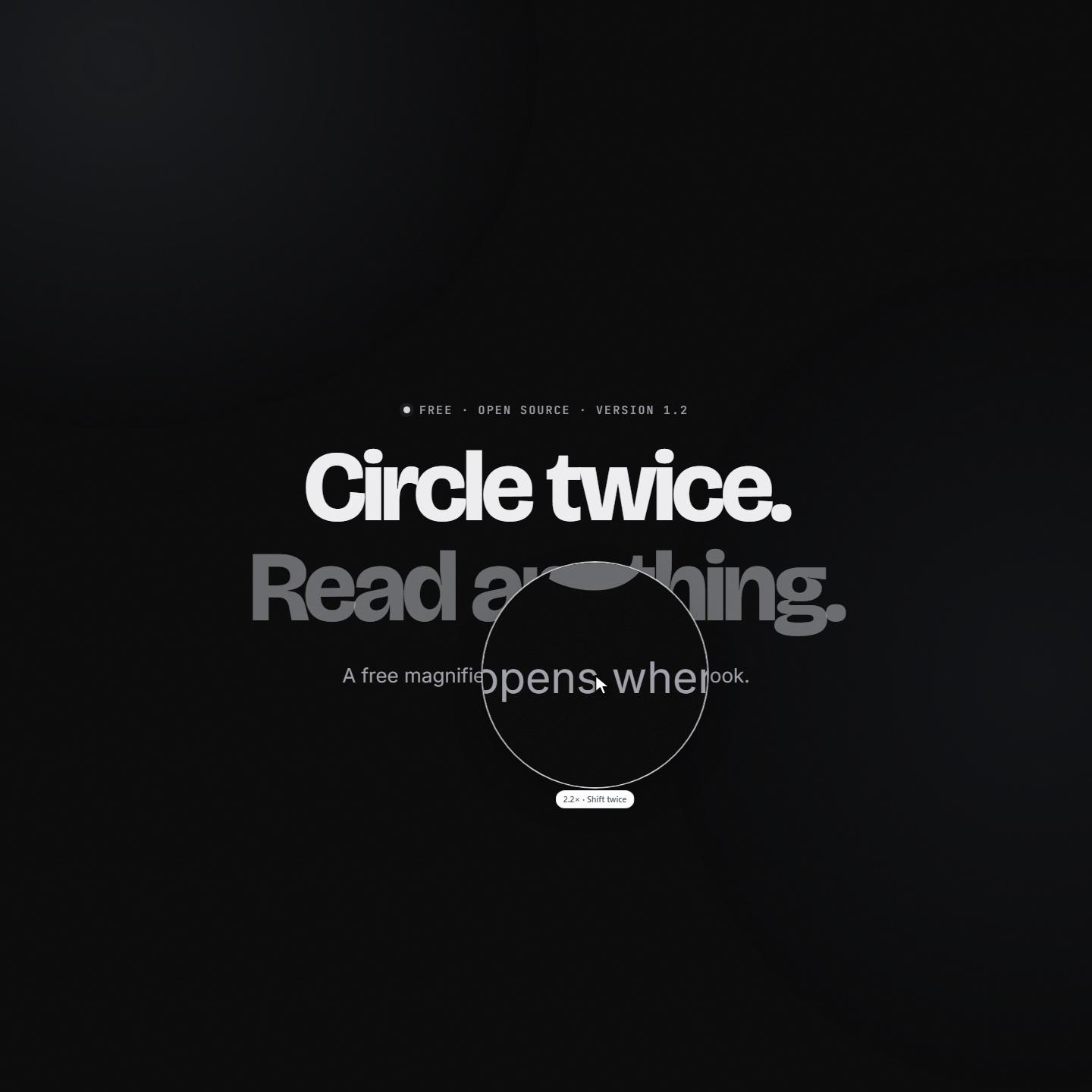
I kept zooming my whole screen to read one line, then zooming back, and every time it wrecked the layout of everything else. I also didn't want to lean in or reach for reading glasses. So I built a lens: circle the mouse twice (or tap Shift twice), and a magnifier opens at the pointer and follows it. Circle twice again to close it.
Heads-up first: the exe isn't code-signed yet, so Windows shows "Windows protected your PC" the first time (More info → Run anyway). The other limits are at the end.
What it is:
- **Windows app**, Go with plain Win32 calls.
- Size and speed: a 4.5 MB download, about 13 MB of RAM while it waits, no CPU while the mouse is still, and a frame on every display refresh. Zoom 1.2× to 4× (Ctrl + wheel), and it eases out when you move fast.
- Install and updates: it installs for you only, with no admin rights. Updates come from GitHub releases, and you can switch them off.
- **Browser extension** for Chrome and Edge (Firefox as a temporary add-on for now). Alt+Shift+L, or Option+Shift+L on a Mac.
- **A 7 KB gzipped script** (`npm i circle-lens`, or one script tag) that gives your own site's visitors the lens. It shows a live copy of the page styled by the page's own CSS, so text stays sharp at any zoom.
The gesture took the most work. It counts how far the pointer turns, and needs the last turn to close on itself and be round. Sharp reversals and pauses start it over, so reading sweeps and reaching for buttons don't count. In simulated hand-drawn circles it catches 99.8 to 100%, with no accidental opens at 1½ circles or more.
Known limits:
- Defender's machine-learning check sometimes flags new unsigned builds like this one. The README explains why, and lists what the app does and doesn't do. Release files since 1.2.1 carry GitHub build attestations (`gh attestation verify`).
- The extension isn't in the stores yet; it loads from the zip. The winget listing is waiting for review.
- There's no Mac app yet. The extension works in Chrome on a Mac.
It's MIT licensed, with no account and no tracking. If it ever opens when you didn't mean it to, tell me: in my tests it didn't at 1½ circles or more.
Page and download: https://fauzul.com/circle-lens
How it was built: https://fauzul.com/blog/circle-lens
1
u/Comprehensive_Web279 20h ago
Circling the mouse twice is a clever trigger, much less annoying than a hotkey you forget. How does it tell a deliberate circle from normal mouse wandering? Is there a size or speed threshold, and does it need Accessibility permission on macOS, or does it work on Windows only? Would be nice to know before I try it.
1
u/preludeoflight 16h ago
This seems really cool, except...
Well, I'm not sure if it's part of my setup or something odd with your script, but your script causes a massive memory leak in my firefox to the point it's locked up my machine due with page swapping/etc.
Just opening either https://fauzul.com/circle-lens or https://fauzul.com/blog/circle-lens causes the main firefox process to runaway with allocations, starting with a few MB a second, speeding up to over ~300 MB a second until my commit maxes out (64 GB). The tab doesn't need to be visible or interacted with to cause it to happen.
That runaway allocation happens mostly in the parent firefox process, the individual tab process doesn't seem to allocate as quickly. The JS memory profiler on the actual tab does show some MB of allocations (looks like around 50 MB over 30s or so) going to array buffers, but nothing like whatever is happening in the parent process. The parent process' memory profiler doesn't show any JS allocations, so I'm not sure where those giant allocs are coming from. It does peg a CPU core per process while all of this is happening (one core pegged on the parent process, the other on the tab's.)
I'm on Firefox 157.0.1 on Win 10 19045.7725
2
u/No-Benefit-2207 15h ago
When using the Magnifier, it should be possible to see everything as it moves, not just a small part of the screen that then turns blank white when it moves. This is not good.
1
u/ashshre9 10h ago edited 10h ago
ahk can do this no need to install any other app. I just tried using right click and dragging a circle-like as a trigger to open windows built-in magnifier. Ctrl + Alt + F - Full Screen mode, Ctrl + Alt + L – Lens mode.
-1
u/thetrueillness 1d ago
That circle detection logic is way more interesting than I expected. Most tools like this just bind to a hotkey and call it a day but actually measuring the turn angle and requiring the path to close on itself is clever. The fact it doesn't trigger during normal reading sweeps is the part that would make or break it for daily use
I've been using the built-in Windows magnifier docked to the top of my screen for years and it's clunky as hell. Having something that just appears right where I'm looking without wrecking window layouts might actually get me to switch
The screenshot looks clean. Not cluttered with fifty options I'll never touch, just the zoom level and the activation hint. That's the right call for a utility like this
Curious how the easing behaves when you're trying to read a long line of small text though. Like if I'm scanning horizontally at a steady pace does it ever feel laggy or does it keep up pretty well
2
u/oblivion6202 23h ago
Neat.
5 minutes in, it seems to work very well. Not completely sure about the "go away now" thing -- in some ways, invoking it with a gesture makes it seem like it should be possible to make it go away the same way, but we'll see how long it takes for muscle memory to click in. Early impression: it's a keeper.