r/computerviruses • u/DeathMutate • 12d ago
Question Is this a malware attack or infostealer?
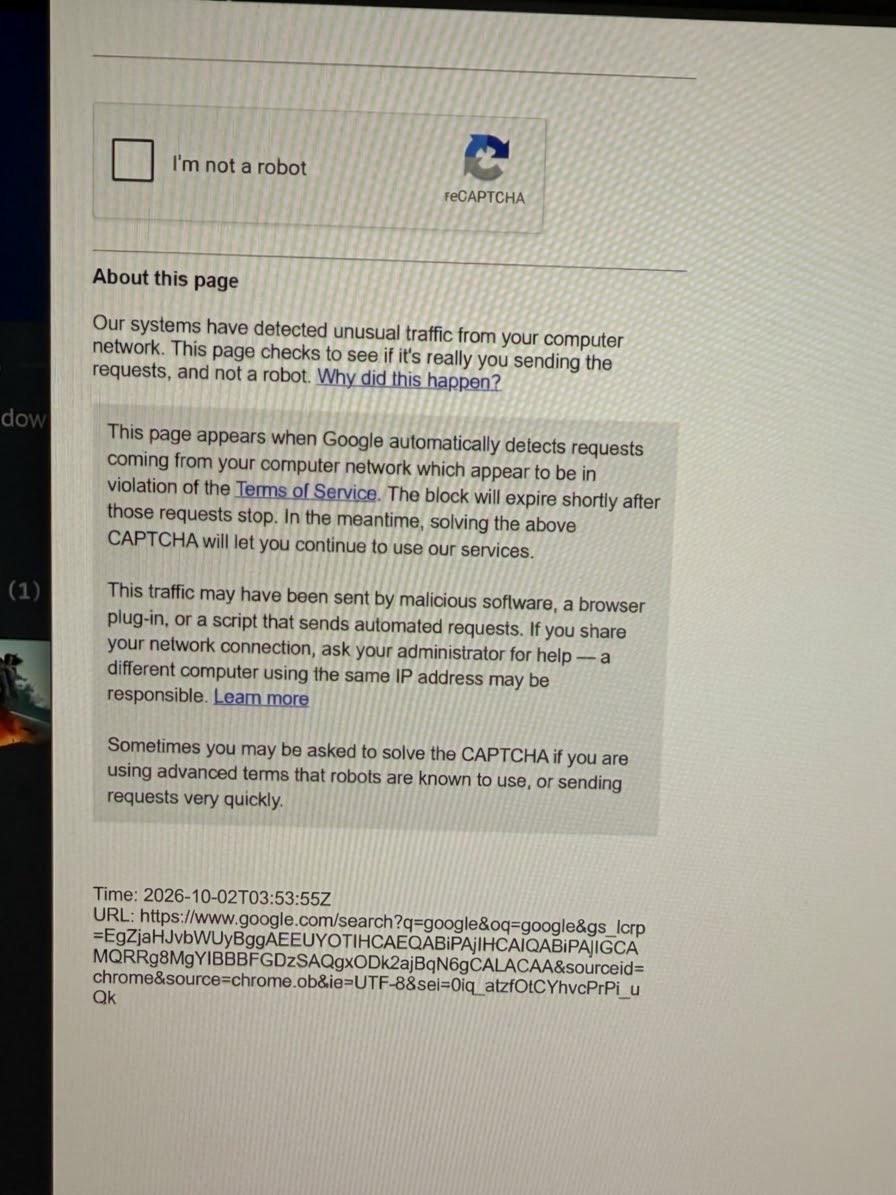
Whenever I open Google Chrome and try to search for something, I always get a message saying that Google detected unusual traffic from my network.
I tried using Brave Browser, and I don’t get the same message there. I also tried uninstalling and reinstalling Google Chrome, but the same prompt still appears.
Has anyone experienced this before? Any help would be greatly appreciated. Thanks!
45
u/ExplorerRude9564 12d ago
It's real
Only captchas tht r INFOSTEALERs make u run a command in powershell
1
12d ago
[removed] — view removed comment
2
u/Lokipro13YT 11d ago
it just tells you to press windows + r and copy paste something, someone that doesnt know much about pc's would easily fall for that
10
u/Leather-Chart7083 12d ago
No, it's normal, check if your ISP uses CGNAT or similar technologies, and Google is enforcing this captcha to appear more frequently too.
-2
u/DeathMutate 11d ago
I don’t know if this is something related to my ISP, because this isn’t happening in the Brave browser.
7
u/AwesomeGamer101 12d ago
Well, this seems to be a normal captcha.
A bad one usually asks you to enter a command through Powershell, which adds malware.
6
u/AlexiaTheTechGirl 12d ago
This is a legit popup from chrome. They will do this if you flag their bot detection. VPNs can often lead to false positives
4
u/Eccentric_Milk_Steak 11d ago
Happens to me using any browser (including chrome) when I go into incognito mode to do the nasty
5
3
3
2
1
u/309_Electronics 12d ago
Captcha in itself cant really do much infostealing or malicious stuff. The fake captchas you have eben hearing sbout instruct you ti enter commands into your terminal. Those are the actual bad captchas.
What you have here is a standard normal harmless catcha.
1
1
u/NeedSomeHelp_2590 11d ago
Thats normal captcha usually happens if you are not logged in on using public wifi, sometimes even with your personal data.
1
u/Kjshanley 11d ago
Brave sometimes uses a default browser vpn, which could get you around it. Otherwise it's not unusual, especially if you live on an apartment complex or depending on your ISP.
A lot of apartment ISPs and some less common ones will "piggyback" on larger providers which to Google looks odd cause you take so many hops to get to their servers
1
1
u/Relevant-Line-1690 11d ago
I always get this if Im not logged into my Google account . I use Firefox adblocker and basically incognito no VPN no cgnat
1
u/CarpenterAlarming781 11d ago
The most likely culprit here is a rogue extension. When you uninstall Chrome normally, your extension data is kept in a hidden folder, which is why it immediately came back when you reinstalled it. Check your extensions.
1
1
u/Track-on-the-side 11d ago
As long as it doesn't ask you to paste a command into powershell or run, it's legit. Sometimes google asks this, it's normal.
1
u/meletiondreams 11d ago
No, this is just your ISP getting flagged, out of your control. Good for being so paranoid on the internet though, better be safe than sorry
1
u/Grand_Technician989 11d ago
This happens to me, certain softwares can call home (my keyboard software does periodically to check for firmware updates) and that can cause it, so I’ve heard. It doesn’t seem to be anything malicious
1
66
u/_jodi33 12d ago edited 12d ago
not neccisarily. this is just a captcha google uses when it detects wierd traffic from your end. usually its just solve the captcha and your let trough. are you using a vpn or proxy by chance?