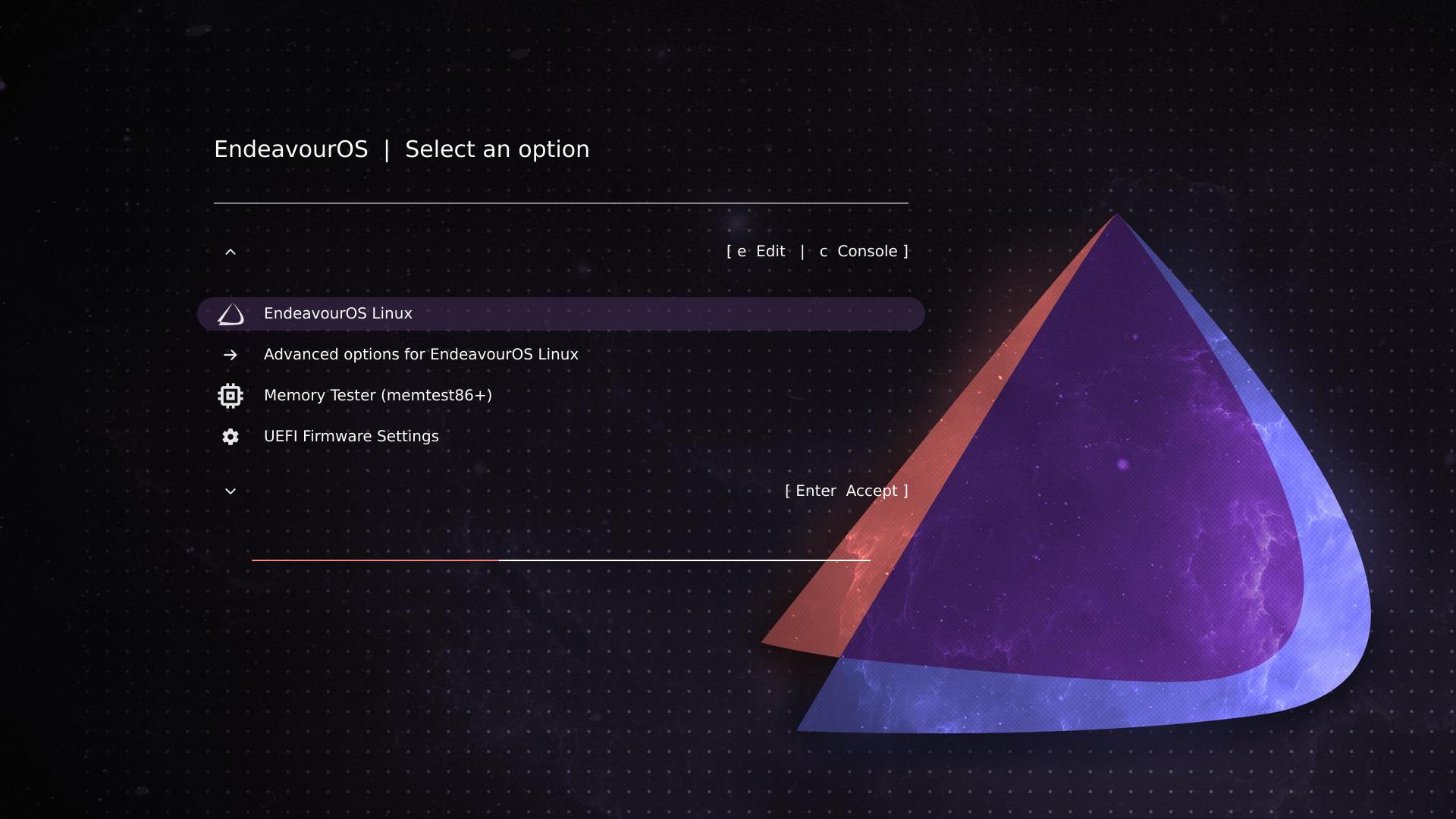
About 1 month ago, I posted here a screenshot example of my EvoDevo GRUB theme. The current post is just an update to report on important improvements: the theme (a) now has the ability to rename menu entries as you like, and (b) allows you to preview theme results without rebooting and without needing to install a VM.
Another improvement explained on GitHub, but which I forgot to mention in my post, is the ability to add up to two custom images to the screen. The background is stretched to fill the screen, as usual, but a custom image is positioned where you want while keeping its raw size in pixels (i.e., no stretching).
This makes it easier to compose a GRUB theme as in my screenshot (here the custom image would be an EndeavourOS logo). In the earlier versions of EvoDevo, there were no custom images, so you had to open the wallpaper in Gimp (say) and paste the logo into it.
I just checked on my side and everything works perfectly. To sort this out, I will need to know more about your setup, so I have just PMed you by chat to avoid polluting the forum.
Wait, wait! I think you did not download the zip file correctly. You probably right-clicked on evodevo.zip and chose "Save Link As ...", which saved a small, 218 KiB HTML file instead of saving the 2.77 MiB zip archive.
What you must do instead is to click on evodevo.zip (or right click on it, choosing "Open Link in New Tab" (this is the 1st option), then go the newly opened tab and save the raw archive by clicking on the "Raw" button.
Bro this is reaaaally cool. I'm super new to Linux, how do I edit the Kate file to make it look exactly like this image? The zip file doesn't have the image, or am I not looking at the right places?
EvoDevo is a configurable theme, which means that you are supposed to provide your own wallpaper (a wallpaper is included by default, but it is a picture of the ocean). The wallpaper I used in the example that you see can be found at:
It is the stars.png wallpaper (a big PNG file), but for your convenience I am attaching a lightweight copy in the JPEG format.
In order to configure the theme, you'll need to edit the install.sh script file in your favorite text editor (which seems to be Kate :-). The most important steps are to assign the correct values to ScreenWidth and ScreenHeight, to chose a value for FontSize that makes sense, and to assign the file name of your chosen wallpaper (say, endeavour_stars.jpg) to Wallpaper.
Please read the GitHub page carefully to know how to proceed. In order to know the correct values for ScreenWidth and ScreenHeight, for example, you'll need to reboot your computer and write down the values that GRUB uses at boot time.
Everything is explained on GitHub. Once the most important parameters are assigned, you'll be able to preview your theme by typing:
./install.sh -preview
Everything else is fine tuning. Again, please read the GitHub page carefully, and report here if I can be of further help.
NB: configuring the install script will give you a nice intro to shell scripting :-).
I forgot to say that you'll probably need to open your wallpaper in a raster image editor (I use Gimp, but there are simpler alternatives) and crop a part of it so that the end result looks like what you see in my example. It all depends on screen dimensions at boot time, and yes, it is a bit more work.

•
u/AutoModerator 25d ago
Thanks for posting.
If your issue is solved, please reply with
!solved.Please also read the subreddit rules in the sidebar/community info and check the official EndeavourOS sites:
Please keep it respectful and enjoy the community.
I am a bot, and this action was performed automatically. Please contact the moderators of this subreddit if you have any questions or concerns.